Pixea Plus 8.1.0 for MacOS Download

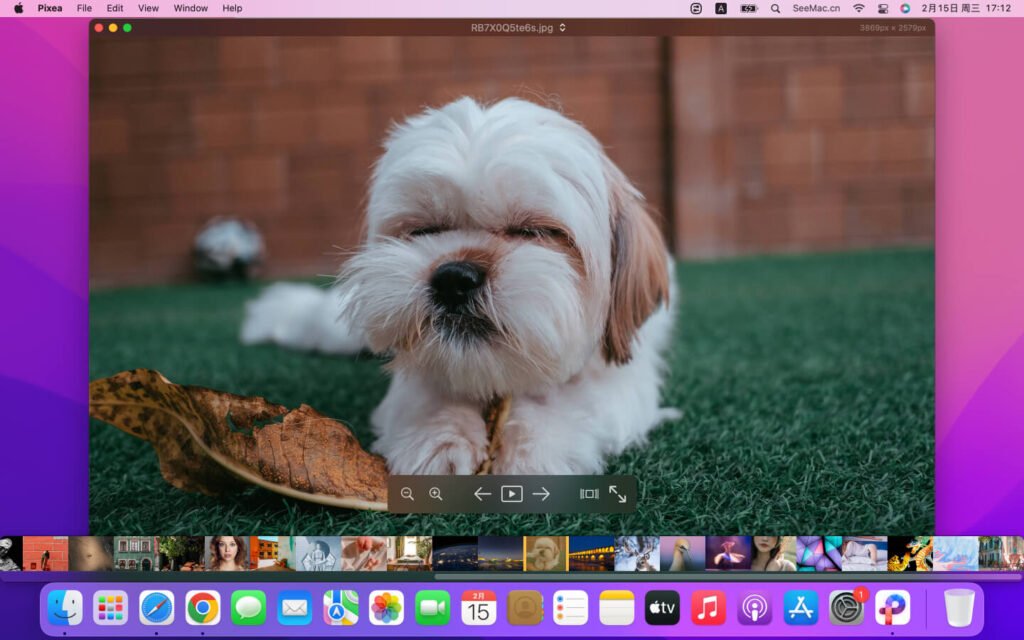
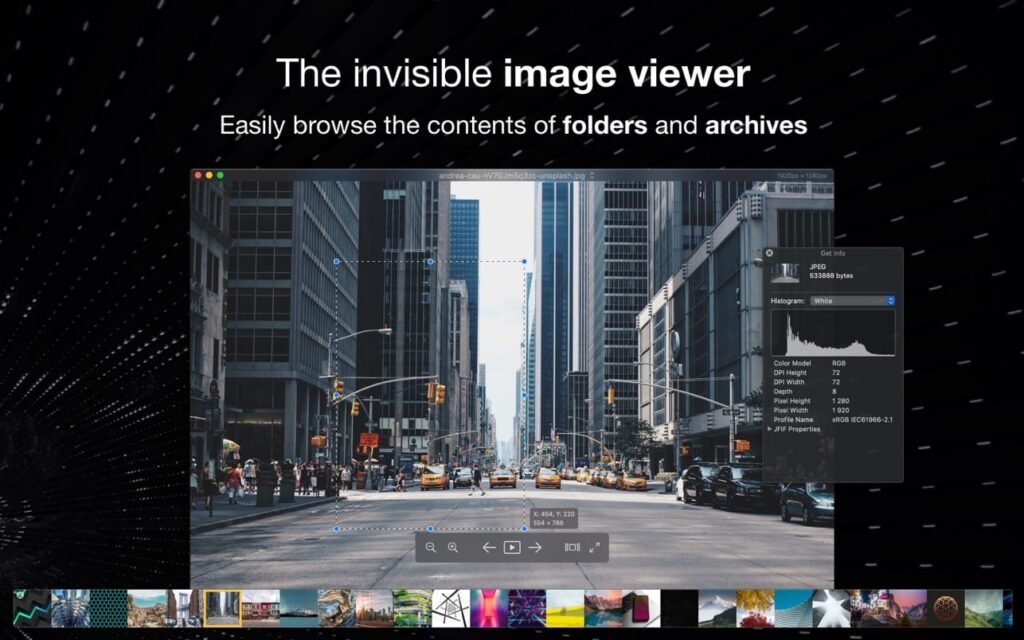
Pixea Plus for MacOS is an image viewer and video player for macOS with a minimalist and elegant interface. It works seamlessly with HEIC, PSD, RAW, WEBP, MKV, MP4, and many other formats. Enjoy a completely new way to explore folders and media files. Search, sort, or play your media files randomly. Remove blemishes and unwanted objects or enhance image resolution with AI tools. Fine-tune your photos by adjusting hue, saturation, and sharpness. Define keyboard shortcuts and trackpad gestures.
Key Features of Pixea Plus 8.1.0
One of Pixea Plus’s biggest advantages is its speed. The application is optimized for macOS, ensuring:
- Instant image loading
- Smooth file navigation
- Minimal system resource usage
Wide Format Compatibility
Pixea Plus supports a wide range of image formats, including:
- JPEG, PNG, GIF
- TIFF, PSD
- HEIC (Apple’s native format)
- RAW formats from major camera brands
RAW Image Viewing
For photographers, RAW support is essential. Pixea Plus allows users to:
- Instantly open and view RAW files
- Browse RAW image collections
- Preview high-resolution images without lag
Clean and Minimalist Interface
Pixea Plus follows Apple’s design principles and offers:
- A distraction-free interface
- Full-screen viewing mode
- Simple navigation controls
Slideshow Mode
The built-in slideshow feature allows users to:
Smoothly present images
Customize transition effects
Control playback speed
Basic Image Editing Tools
Although Pixea Plus is primarily an image viewer, it includes essential editing features such as:
- Crop and rotate
- Flip images
- Adjust orientation
These tools allow for quick corrections without the need for additional software.
Keyboard Shortcuts and Gesture Support
Pixea Plus enhances productivity by supporting:
- Keyboard shortcuts for quick navigation
- Trackpad gestures for zooming and switching images
Privacy-Focused Design
Unlike cloud-based image editing tools, Pixea Plus operates locally, which means:
- No data is uploaded to the internet
- Full control over your files
- Enhanced privacy and security
What’s New in Pixea Plus 8.1.0
Version 8.1.0 includes several improvements designed to optimize performance and usability.
Improved RAW Processing
The latest update improves RAW image handling, offering:
- Faster load times
- Better image previews
- Greater compatibility with the latest camera models
Performance Optimization
Pixea Plus 8.1.0 offers:
- Smoother scrolling and navigation
- Reduced memory consumption
- Faster startup time
macOS Compatibility Updates
The software now offers improved compatibility with the latest macOS versions, ensuring:
- Better integration with system features
- Greater stability on Apple Silicon devices
User Interface Improvements
Minor improvements have been made to the user interface to:
- Improve visual clarity
- Enhance usability
- Simplify navigation
Bug Fixes and Stability Improvements
- The update resolves previous issues, resulting in a more stable and reliable experience.
you can also Download: Cinemagraph Pro 2026.13.1 For MacOS
Screenshots:
System Requirements
Before installing Pixea Plus 8.1.0 on macOS, make sure your system meets the following requirements.
Minimum Requirements
- macOS 10.13 (High Sierra) or later
- Intel or Apple Silicon processor (M1 or later)
- 2 GB of RAM
- 100 MB of free disk space
Recommended Requirements
- macOS 12 (Monterey) or later
- Apple Silicon (M1/M2/M3) for optimal performance
- 4 GB of RAM or more
- SSD storage for faster image loading
Pros and Cons
Pros
- Extremely fast and lightweight
- Supports a wide range of image formats
- Excellent RAW file viewing
- Clean and intuitive interface
- Optimized for macOS and Apple Silicon
- Privacy (offline use)
Cons
- Limited advanced editing features
- Not a complete photo management solution
- Lacks cloud integration
- Fewer features compared to professional editing tools
Conclusion
Pixea Plus for macOS 8.1.0 is a powerful and lightweight image viewer that stands out for its speed, simplicity, and performance. It’s an excellent option for users who need a quick and efficient way to browse images without the complexity of full photo editing software.
Homepage: https://mactorrent.info/
One comment