CrossOver 26.0.0 for MacOS Download

In response to the growing demand for cross-platform compatibility, CrossOver 26.0.0 for Mac offers a seamless experience, allowing users to access productivity tools, games, and specialized Windows software directly on their Mac. Unlike virtual machines, CrossOver is lightweight and optimized for performance, consuming fewer system resources and delivering fast, reliable execution.
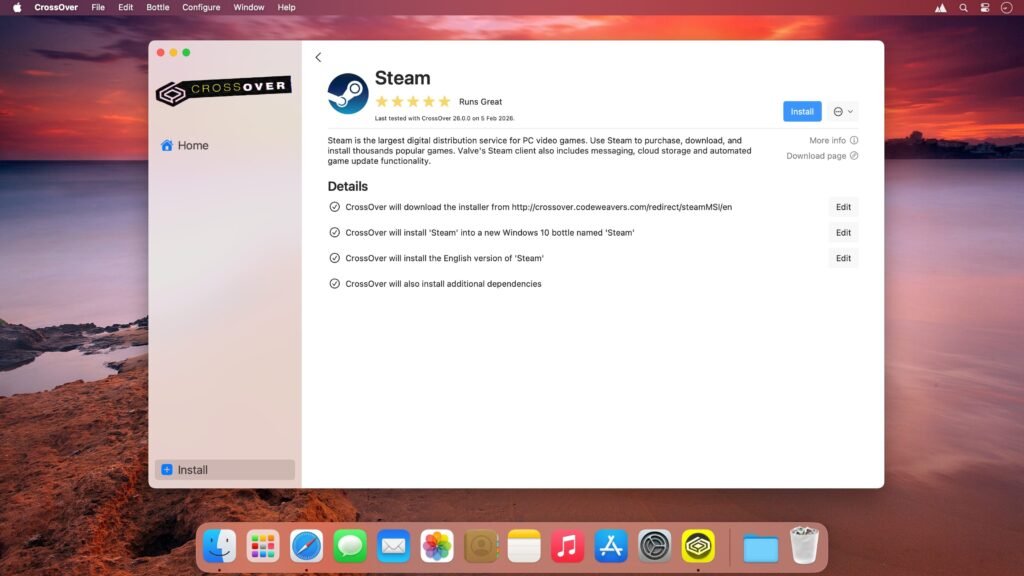
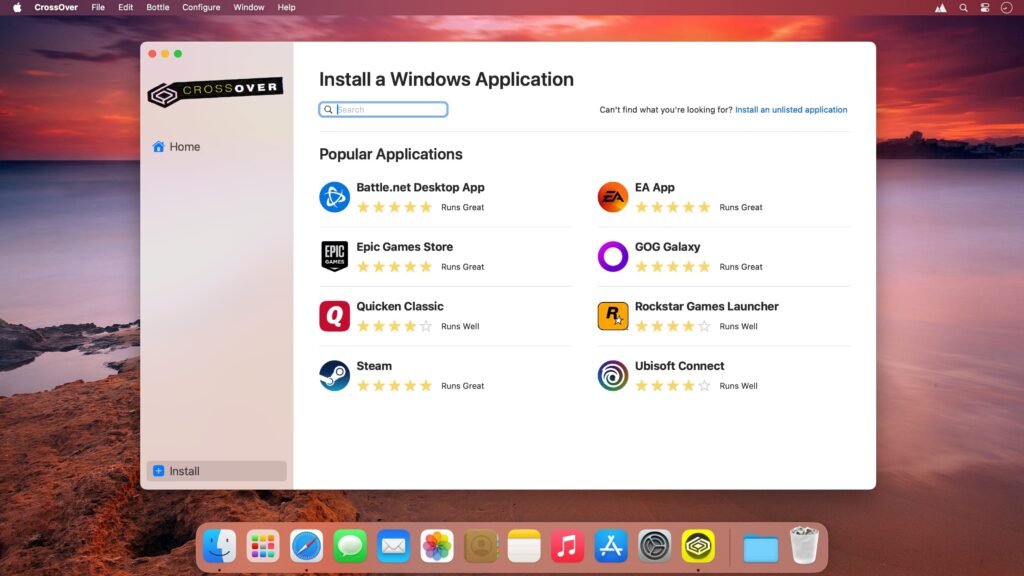
With CrossOver, you can run many popular Windows games and programs on macOS. Check compatibility here. CrossOver features an intuitive, one-click interface that makes installing your games and applications quick and easy.
It’s like running Windows on your Mac, but without Windows. You don’t need to restart, use a virtual machine, or have Windows operating system licenses.
Whether you’re a professional needing Microsoft Office for Windows, a gamer looking for Windows-exclusive games, or a professional running industry-specific applications, CrossOver 26.0.0 for Mac provides a practical and efficient solution. This article offers a detailed guide to its features, latest updates, system requirements, advantages, and limitations.
Key Features of CrossOver for macOS
CrossOver allows Mac users to run thousands of Windows applications without needing to install Windows. This includes:
- Microsoft Office (Word, Excel, Outlook, Access)
- Popular Windows games and entertainment software
- Design, engineering, and business applications
By eliminating the need for a full Windows installation, users save disk space and reduce system complexity.
CrossOver Usability
- CrossOver has always aimed to be easier to use than Wine, allowing you to install Windows applications in “bottles” (self-contained files that can run on your Mac without requiring a full copy of Windows).
- You can create numerous bottles for different applications and even configure them to be compatible with different versions of Windows.
- This is useful because it allows you to create bottles suitable for older games and software that might require a specific version of Windows to function correctly.
Lightweight and Efficient
Unlike traditional virtual machines such as Parallels Desktop or VMware Fusion, CrossOver runs Windows applications natively using Wine. This approach results in:
- Lower CPU and RAM usage
- Faster application launches
- Less impact on battery life for Mac laptops
Easy Installation and Setup
CrossOver offers an intuitive interface for installing and managing Windows software. Features:
- Pre-configured installation scripts for popular applications
- One-click installation for compatible software
- Compatibility checks before installation
These features simplify the process for users unfamiliar with Wine configuration or manual Windows dependency management.
Cross-Platform Compatibility
CrossOver supports Intel-based Macs, as well as Apple Silicon devices (M1, M2, and later) by porting to Rosetta 2. This ensures:
- Consistent performance across all Mac hardware
- Access to Windows applications on the latest Apple Silicon devices
- Ongoing updates to maintain compatibility with new macOS versions
Bottle Management System
CrossOver uses a “bottle” system to isolate Windows applications. Each bottle is a self-contained environment, allowing users to:
- Run multiple Windows applications with different configurations
- Avoid application conflicts
- Easily back up or transfer bottles to another Mac
This makes CrossOver highly flexible and well-suited for professional environments that require multiple Windows software configurations.
macOS Integration
- CrossOver integrates seamlessly with macOS, allowing you to:
- Launch applications from the macOS Dock
- Open Windows applications alongside Mac applications
- Copy and paste content between Mac and Windows applications
- This creates a near-native experience without the need to switch operating systems.
What’s New in CrossOver 26.0.0 for Mac
The 26.0.0 update introduces several improvements focused on performance, compatibility, and user experience.
Improved Apple Silicon Compatibility
- CrossOver 26.0.0 improves compatibility with Mac M1, M2, and later models, delivering faster performance and better compatibility with Windows applications thanks to optimized Rosetta 2 translation.
Updated Wine Engine
The internal Wine engine has been updated to the latest version, improving compatibility with:
- Modern Windows applications
- DirectX 11 games
- Updated editions of Microsoft Office
Improved User Interface
- The latest version features a more intuitive interface for managing bottles, installing applications, and accessing settings. This improves usability for both beginners and experienced users.
Performance and Stability Improvements
CrossOver 26.0.0 for Mac addresses previous issues such as application crashes, slow startup times, and memory leaks, resulting in:
- Faster application launches
- Reduced crashes during heavy use
- Improved reliability across all macOS versions
you can also Download: TechSmith Snagit 2026.0.1 for Mac
Screenshots:
System Requirements
Minimum Requirements
- MacOS 11 Big Sur or later
- Intel or Apple Silicon (M1/M2) processor
- 4 GB of RAM
- At least 2 GB of free disk space
- Internet connection for installation and updates
Recommended Requirements
- MacOS 12 Monterey or later
- Apple Silicon (M1/M2) for optimal performance
- 8 GB of RAM or more
- SSD storage for faster application startup and performance
- High-speed internet connection for downloading Windows applications
Meeting the recommended requirements ensures smoother performance, especially for resource-intensive Windows software or games.
Advantages and Disadvantages of CrossOver 26.0.0 for Mac
Advantages
- Runs unlicensed Windows applications
- Lightweight and efficient compared to virtual machines
- Compatible with Macs running Intel and Apple Silicon
- The Bottle system isolates applications to prevent conflicts
- Seamless integration with the macOS environment
- Frequent updates for compatibility and performance
Disadvantages
Not all Windows applications are fully compatible
Some games and software may have graphical or functional limitations
Advanced configuration may be required for certain programs
Paid software with a limited trial period
Despite these limitations, CrossOver remains an excellent solution for running essential Windows software on a Mac without a full Windows installation.
Conclusion
CrossOver 26.0.0 for Mac is an essential tool for Mac users who need access to Windows applications without relying on virtual machines or dual-boot setups. By combining the power of the Wine compatibility layer with optimized macOS integration, it delivers a smooth, fast, and efficient experience.
With the latest updates, including improved Apple Silicon support, a modernized Wine engine, and a streamlined user interface, CrossOver delivers reliable performance for productivity tools, games, and specialized applications. Its bottle management system ensures that applications remain isolated and easy to manage, making it ideal for both personal and professional workflows.
For users looking to maximize cross-platform compatibility and optimize their Mac’s productivity, CrossOver for macOS 26.0.0 is a practical and powerful solution.
3 comments