OBS Studio 32.1.0 for MacOS Download

OBS Studio for MacOS is one of the most widely used open-source solutions for screen recording and live streaming. . Its flexibility, powerful feature set, and free availability have made it an industry standard across all platforms.OBS, short for Open Broadcaster Software, is trusted by content creators, educators, gamers, streamers, and professionals who need a reliable way to capture high-quality video and audio on Mac systems
OBS Studio for Mac is a free and open-source software for video recording and live streaming. It allows users of all skill levels to capture and mix video and audio in real time from multiple sources and stream it over the internet.
It includes support for full-screen capture, window capture, images, text, browser windows, webcams, and capture cards, thus meeting the needs of home users, educators, students, and professionals.
With the release of OBS Studio 32.1.0 for macOS, the software continues to evolve, offering improved performance, greater stability, and enhanced compatibility with modern macOS versions and Apple Silicon hardware. This update focuses on refining the user experience while maintaining OBS Studio’s reputation for professional-grade recording and streaming capabilities.
Key Features of OBS Studio for macOS
High-Quality Screen Recording
- OBS Studio for MacOS lets you record your Mac’s screen in high resolution with precise control over video and audio settings. Whether you’re capturing full-screen activity, specific windows, or custom regions, OBS offers flexible recording options, ideal for tutorials, presentations, software demos, and online courses.
- Users can record at multiple resolutions and frame rates, making it easy to balance quality and performance to suit your project requirements.
Screen Capture
- Capture the screen of the desktop or the active application in HD quality and stream it in high quality.
Professional Live Streaming Capabilities
- Live streaming is one of OBS Studio’s standout features. The software supports streaming to major platforms like YouTube, Twitch, Facebook Live, and custom RTMP servers. Streamers can manage multiple scenes, transitions, and overlays in real time, creating professional-looking broadcasts without additional software.
- Advanced bitrate and encoder controls ensure stable streams, even during long live sessions.
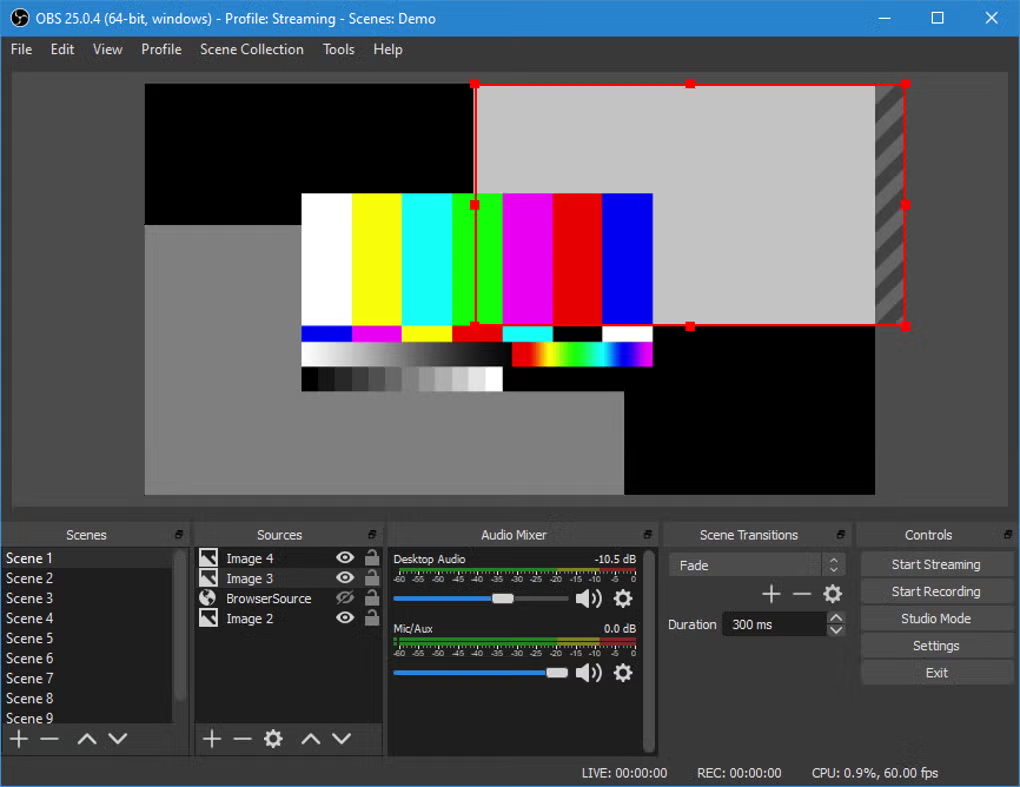
Scene and Source Management
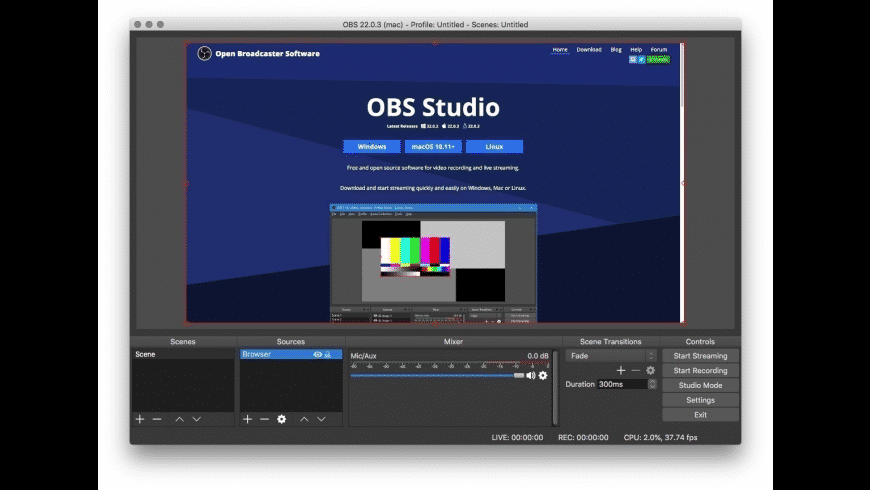
- OBS Studio for MacOS uses a scene-based workflow that allows users to switch between different layouts instantly. Each scene can include multiple sources, such as screenshots, webcams, images, text, media files, and browser windows.
- This modular approach gives users complete creative freedom, making OBS ideal for all types of projects, from simple recordings to complex multi-camera live productions.
Advanced Audio Mixing
- Audio control in OBS Studio for MacOS is highly customizable. Users can manage multiple audio sources, including system audio, microphones, and external audio devices. Built-in audio filters, such as noise suppression, noise gate, and compression, help improve sound quality without the need for third-party tools.
- Real-time audio monitoring and level meters ensure precise control of the sound during recording or streaming.
Plugin and Extension Compatibility
- OBS Studio supports a wide range of plugins that extend its functionality. From advanced transitions and visual effects to new font types and automation tools, plugins allow users to tailor OBS to their specific workflow.
- This extensibility is one of the reasons why OBS Studio remains popular with power users and professionals.
What’s New in OBS Studio 32.1.0
- Improved performance thanks to better GPU encoding optimization.
- Enhanced compatibility with AV1 and HEVC hardware encoders.
- Improved audio monitoring with lower latency processing.
- OBS Studio 32.0.4 introduces several improvements aimed at optimizing performance, compatibility, and reliability. This update includes bug fixes that address crashes, rendering issues, and audio sync problems reported in previous versions.
- In addition, macOS compatibility has been improved to ensure smoother operation on newer versions of the operating system. Performance optimizations enhance stability during extended recording and streaming sessions, especially on Macs with Apple Silicon processors.
- While this version doesn’t introduce major new features, it focuses on refining the overall experience, making OBS Studio more reliable for both professional and everyday use.
you can also Download: VLC Media Player 3.0.23 for MacOS
Screenshots:
System Requirements
Minimum Requirements
- MacOS 11.0 or later
- Mac with an Intel or Apple Silicon processor
- 8 GB of RAM
- 2 GB of available disk space
- Supported audio and video input devices
Recommended Requirements
- MacOS 13 or later
- Mac with an Apple Silicon processor (M1, M2, or later)
- 16 GB of RAM or more
- SSD storage for faster recording and file access
- Dedicated or integrated GPU that supports hardware encoding
Meeting the recommended system requirements ensures smoother performance, improved streaming stability, and faster encoding times.
Advantages and Disadvantages of OBS Studio for macOS
Advantages
- Free and open source, no subscription fees
- Professional recording and live streaming tools
- Flexible scene and source management
- Advanced audio mixing and filtering options
- Excellent community support and plugin ecosystem
Disadvantages
- Steaker learning curve for beginners
- The interface can be complex for simple recording tasks
- Requires manual configuration for optimal performance
Despite these challenges, OBS Studio remains one of the most powerful streaming tools available for macOS.
Conclusion
OBS Studio for MacOS 32.1.0 continues to stand out as a powerful and versatile solution for screen recording and live streaming. Its combination of advanced features, customization options, and free availability makes it an excellent choice for creators of all levels, from beginners to professionals.
The latest update improves stability and compatibility with macOS, ensuring reliable performance on modern Mac systems. While the learning curve may be steeper compared to simpler tools, the level of control and flexibility offered by OBS Studio more than justifies the effort.
For Mac users looking for a robust, professional, and free recording and streaming application, OBS Studio 32.1.0 remains one of the best options currently available.
Homepage: https://mactorrent.info