MediaInfo 26.01 for MacOS Download

MediaInfo 26.01 for MacOS is a powerful and widely trusted utility designed to provide detailed technical information about media files. Whether you work with video, audio, or media containers, MediaInfo lets you quickly and accurately analyze file properties. With the release of MediaInfo for macOS version 26.01, the software continues to serve professionals and everyday users who need reliable information about media formats, codecs, bitrates, frame rates, and metadata.
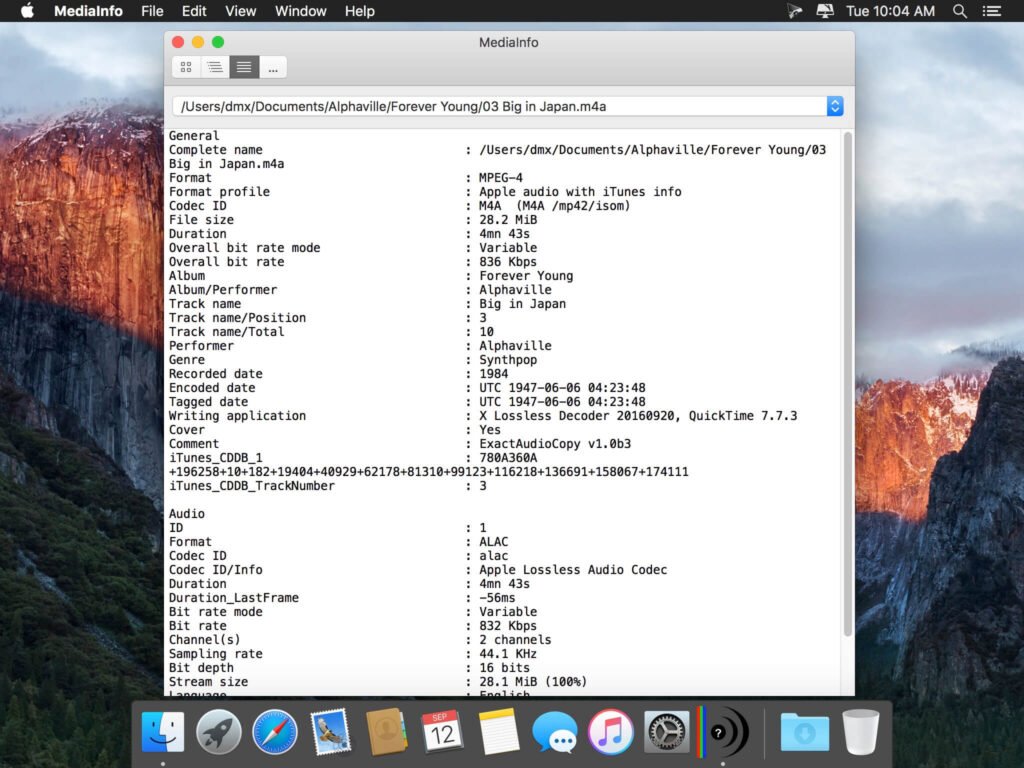
MediaInfo for Mac provides technical information and metadata about video and audio files. This information includes, for example, the codec, bitrate, frames per second, width, height, number of channels, duration, title, author, subtitle language, and chapter titles.
The program offers multiple ways to display this information (text, table, tree, and HTML), with customizable formats. Data can also be exported as text, CSV, or HTML files, or via a graphical interface or command line.
MediaInfo is a common resource among video editors, audio engineers, broadcasters, archivists, IT professionals, and casual users who want to understand the structure and quality of their media files. Its lightweight design, combined with advanced reporting features, makes it an essential tool for macOS systems. Furthermore, MediaInfo supports a wide range of file formats, ensuring compatibility with most media standards, both modern and legacy.
Key Features of MediaInfo for macOS
MediaInfo is known for its accuracy, speed, and simplicity. Below are the key features that make it a valuable media analysis tool for macOS.
The macOS MediaInfo data display includes the following:
- Container: Format, Profile, Format Trade Name, Duration, Total Bitrate, Application and Writing Library, Title, Author, Director, Album, Track Number, Date, Duration…
- Video: Format, Codec ID, Aspect Ratio, Frame Rate, Bitrate, Color Space, Color Sampling, Bit Depth, Scan Type, Scan Order…
Audio: Format, Codec ID, Sample Rate, Channels, Bit Depth, Language, Bit Rate.
Detailed Media File Analysis
- MediaInfo provides detailed technical information about audio and video files. Users can view details such as codec type, bitrate, frame rate, resolution, aspect ratio, color space, audio channels, sample rate, and encoding settings. This level of detail is crucial for professional media workflows.
Wide Format and Codec Support
- The application supports a wide range of media formats, including MP4, MKV, AVI, MOV, MP3, FLAC, WAV, AAC, and many others. It also recognizes numerous codecs, making it ideal for analyzing both modern and older media files.
Multiple Display Modes
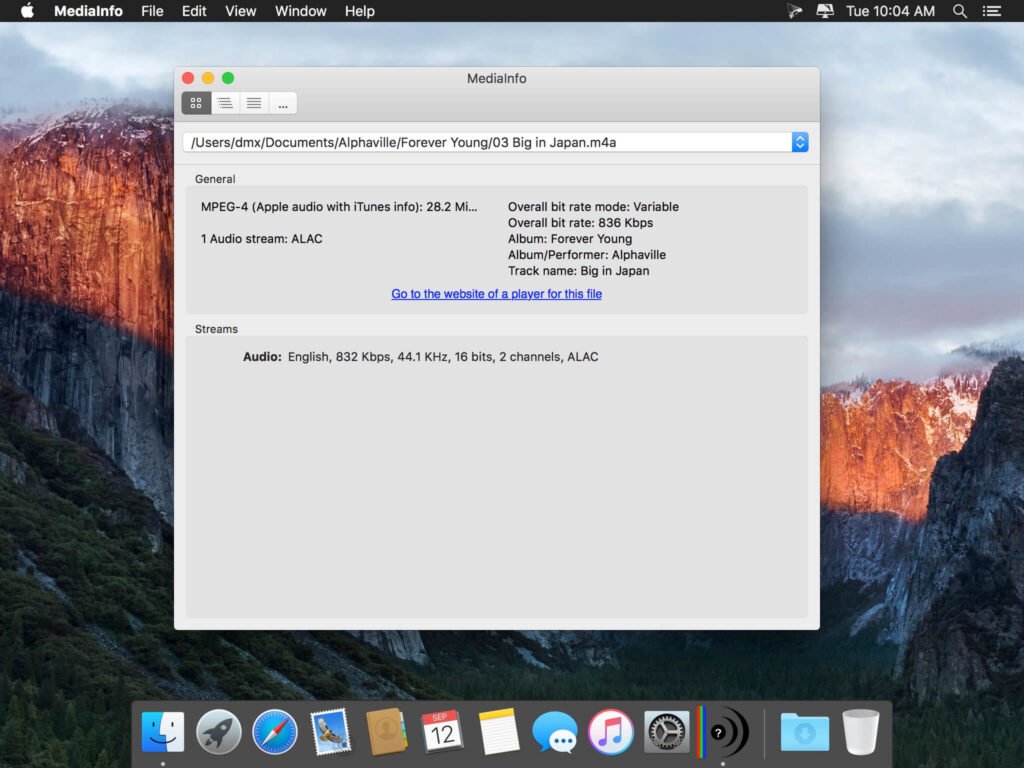
- MediaInfo 26.01 for MacOS offers several display modes to suit different users. The basic view presents essential information in a clear and readable format, while the advanced views provide comprehensive technical data. Users can switch between text, tree, HTML, and JSON output formats as needed.
Fast and Lightweight Performance
- One of MediaInfo’s biggest advantages is its lightweight design. The application launches quickly and analyzes files almost instantly without consuming excessive system resources. This makes it ideal for both high-end Macs and older systems.
Batch File Analysis
- MediaInfo allows users to analyze multiple media files at once. This batch processing capability is especially useful for professionals who manage large media libraries or verify file properties before editing or distributing them.
Export and Reporting Options
- Users can export media information in various formats, including text and HTML. These reports can be shared with clients, collaborators, or technical teams, making MediaInfo a practical tool for documentation and troubleshooting.
Customizable Interface
- MediaInfo 26.01 for MacOS offers customization options that allow users to adjust the displayed fields and layout preferences. This flexibility ensures that users see only the information most relevant to their workflow.
What’s New in MediaInfo 26.01 for MacOS
Version 26.01 focuses on expanding format support, improving accuracy, and optimizing compatibility with modern macOS environments.
Expanded Codec and Format Support
- MediaInfo 26.01 for MacOS incorporates support for the latest codecs and container updates. This ensures accurate analysis of recently released media formats and better recognition of evolving encoding standards.
Improved Metadata Accuracy
- The latest version refines metadata analysis and visualization. This results in more accurate reports of technical details, especially for high-resolution video and advanced audio formats.
Improved macOS Compatibility
- MediaInfo 26.01 improves compatibility with the latest macOS versions, ensuring smooth operation on both Intel-based Macs and Apple Silicon devices. Performance optimizations help maintain stability across different hardware configurations.
User Interface Refinements
- Minor interface improvements enhance readability and navigation. These updates make it easier for users to access key information quickly and easily.
Bug Fixes and Stability Improvements
- The update addresses previously reported issues related to file scanning and output formatting. As a result, users enjoy a more reliable and consistent experience.
you can also Download: Pixelmator Pro 4.0.0 for MacOS
Screenshots:
System Requirements for MediaInfo on macOS
MediaInfo is designed to run efficiently on a wide range of Mac systems. The official system requirements are detailed below.
Minimum System Requirements
- Operating System: macOS 10.13 or later
- Processor: Mac with Intel or Apple Silicon
- RAM: 2 GB
- Storage: Less than 200 MB of available disk space
- Display: Standard macOS-compatible display
Recommended System Requirements
- Operating System: Latest version of macOS
- Processor: Apple Silicon M1, M2, or later
- RAM: 4 GB or more
- Storage: SSD for faster file access
- Display: High-resolution display for better readability
These requirements make MediaInfo accessible to almost all Mac users, from entry-level systems to professional workstations.
Advantages and Disadvantages of MediaInfo for macOS
Advantages
- Provides highly detailed and accurate information about media files
- Compatible with a wide range of audio and video formats
- Lightweight and high-performance
- Multiple viewing and export options
- Suitable for both professionals and casual users
- Free and reliable for everyday use
Disadvantages
- Does not edit or repair media files
- The interface may be technical for beginners
- Limited visual previews compared to media players
- Focuses exclusively on analysis, not playback or conversion
Conclusion
MediaInfo 26.01 for MacOS remains one of the most reliable and efficient tools for analyzing audio and video files. Its ability to provide detailed technical data in a fast and lightweight format makes it indispensable for media professionals, IT specialists, and everyday users alike. With greater format support, increased accuracy, and improved macOS compatibility, the latest version further solidifies its strong reputation.
While it doesn’t offer editing or conversion features, MediaInfo excels at its primary goal: providing clear, accurate, and reliable information about media files. For anyone needing to check file properties, troubleshoot compatibility issues, or understand the technical composition of media content, MediaInfo for macOS is an essential utility that consistently delivers value.
Homepage: https://mactorrent.info
One comment