Calibre 9.7.0 For MacOS Download

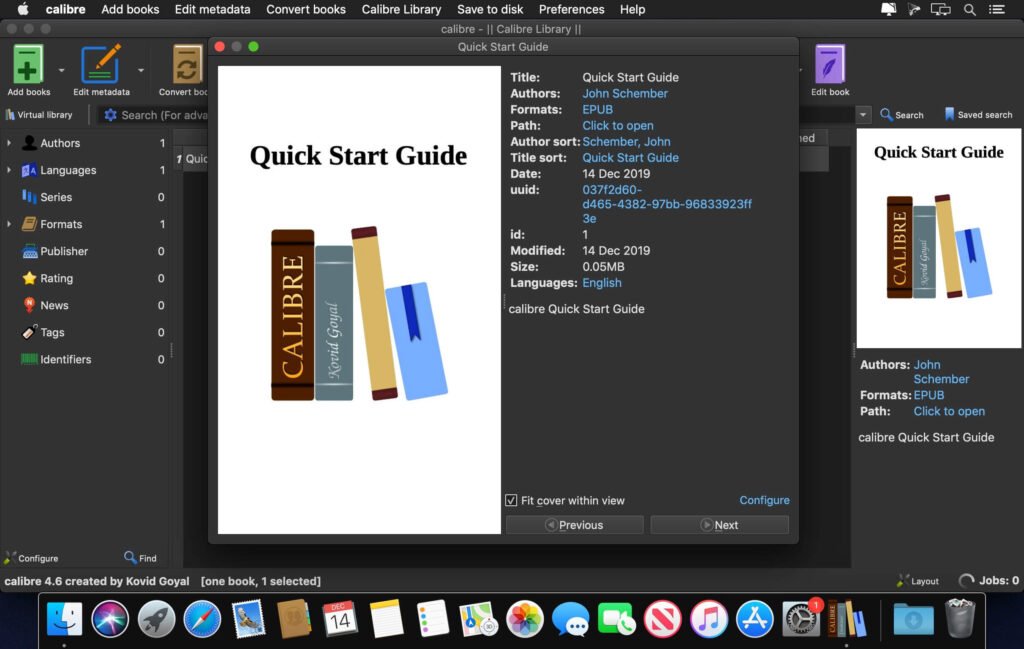
Calibre 9.7.0 for macOS is a powerful, open-source ebook management software designed to help users organize, convert, read, and manage digital libraries with ease. Developed by Kovid Goyal, Calibre has earned a solid reputation as one of the most comprehensive tools for managing ebooks across multiple formats and devices.
Whether you’re a casual reader, student, researcher, or professional, Calibre offers a comprehensive platform for efficiently managing your digital reading collection. With its intuitive interface and robust features, the software simplifies tasks such as format conversion, metadata editing, and device synchronization.
In this article, we’ll explore everything you need to know about Calibre 9.7.0 for macOS, including its main features, latest updates, system requirements, and advantages.
Main Features of Calibre 9.7.0 For MacOS:
Comprehensive eBook Library Management:
Calibre allows users to organize their entire ebook collection in one place. Automatically categorizes books by:
- Title
- Author
- Publisher
- Tags and genres
Users can also create custom columns and filters to tailor their library management to their needs.
Powerful eBook Conversion Tool:
One of Calibre’s standout features is its ability to convert eBooks between various formats, including:
- EPUB
- MOBI
- AZW3
This ensures compatibility with different devices such as Kindles, tablets, and smartphones. The conversion engine also preserves formatting, layout, and images.
Built-in eBook Reader:
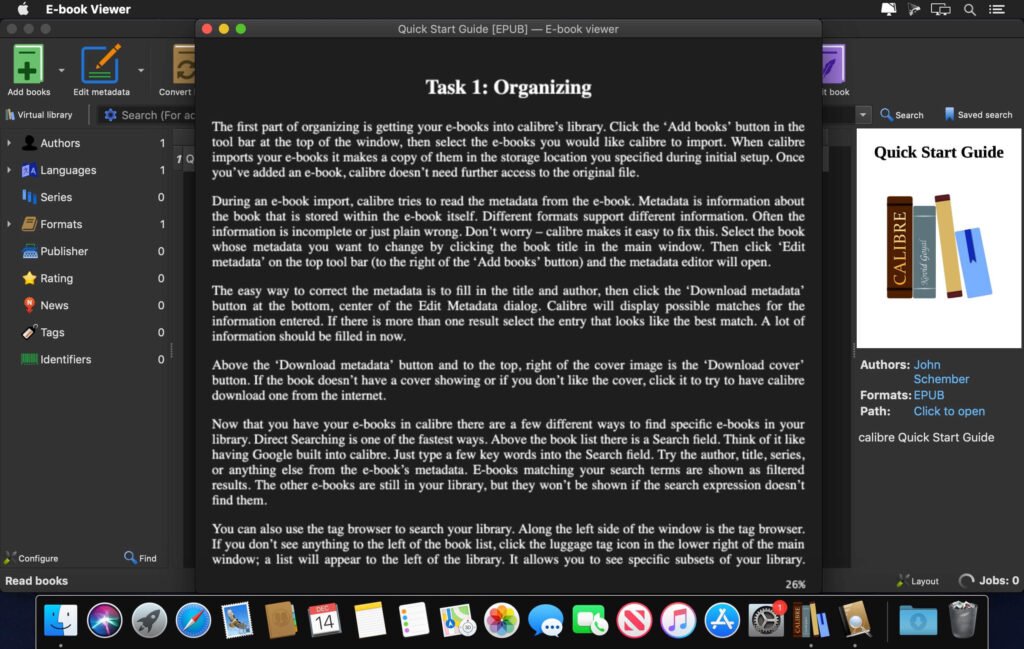
Calibre includes a built-in eBook reader that supports multiple formats. It offers:
- Adjustable font sizes and styles
- Night mode for comfortable reading
- Bookmarks and annotations
This allows users to read directly in the application without the need for external tools.
Advanced Metadata Editing:
Managing metadata is essential for maintaining an organized library. Calibre offers:
- Bulk metadata editing
- Automatic metadata download from online sources
- Cover image editing
This feature ensures your ebook collection stays organized and well-structured.
News and Magazine Downloads:
Calibre can retrieve news from various online sources and convert it to ebook format. Users can:
- Schedule automatic downloads
- Read news offline
- Customize content sources
This feature is especially useful for staying up-to-date without having to browse multiple websites.
What’s New in Calibre 9.7.0?
Version 9.7.0 introduces several improvements aimed at optimizing usability and performance.
Improved User Interface:
The latest update refines the user interface with:
- Improved navigation
- Cleaner design
- Greater accessibility
These changes make the software easier to use, especially for new users.
Improved Format Conversion Engine:
Calibre 9.7.0 includes improvements to its conversion engine, offering:
- Better handling of complex layouts
- Improved font rendering
- More accurate formatting
Performance Optimization:
The software now runs faster and more efficiently, especially when managing large libraries. Users can expect:
- Faster startup times
- Faster search results
- Improved responsiveness
Updated News Feeds:
New and updated news feeds have been added, giving users access to a wider range of content.
You can also Download:
System Requirement:
Before installing Calibre 9.7.0 on macOS, make sure your system meets the following requirements.
Minimum Requirements:
- macOS 10.14 (Mojave) or later
- Intel or Apple Silicon processor (M1 or later)
- 2 GB of RAM
- 300 MB of free disk space
Recommended Requirements:
- macOS 12 (Monterey) or later
- Apple Silicon (M1/M2/M3) for optimal performance
- 4 GB of RAM or more
- SSD storage for faster performance
- Stable internet connection for downloading metadata and news
Advantages and Disadvantages:
Advantages:
- Free and open-source software
- Compatible with a wide range of ebook formats
- Powerful conversion and editing tools
- Extensive customization through plugins
- Integrated reader and content server
- Regular updates and strong community support
Disadvantages:
- The interface can be complex for beginners
- Initial setup can be time-consuming
- Some advanced features require a learning curve
- Occasional compatibility issues with certain e-readers
Conclusion:
Calibre 9.7.0 for macOS It stands out as one of the most versatile and powerful ebook management tools currently available. Its comprehensive feature set, including format conversion, metadata editing, and device synchronization, makes it an essential application for anyone working with digital books.
Homepage: https://mactorrent.info/
One comment