Blender 5.1.1 for MacOS Download

Blender for MacOS is a free and open-source 3D creation suite. It covers the entire 3D workflow: modeling, rigging, animation, simulation, rendering, compositing and motion tracking, video editing, and 2D animation.
Blender is a public project, created by hundreds of people from all over the world: independent studios and artists, professionals and hobbyists, scientists, students, visual effects experts, animators, game artists, modders, and many more.
Key Features of Blender for macOS 5.1.1
Blender offers a wide range of features covering various aspects of 3D creation. The most important are highlighted below:
Powerful 3D Modeling Tools
Blender provides a robust set of modeling tools that allow users to create detailed 3D objects with precision. Key capabilities include:
- Dynamic Topology Sculpting
- Mesh and Modifier Editing
- Precision Adjustment and Alignment Tools
- Complex Geometry Support
These tools make it suitable for everything from simple models to highly detailed assets.
Advanced Rendering Engines
Blender includes two powerful rendering engines:
- Cycles: A physically based ray tracing engine for realistic rendering.
- Eevee: A real-time rendering engine for fast previews and stylized visual effects.
These engines allow users to choose between speed and realism depending on their project needs.
Animation and Rigging
Blender’s animation system is comprehensive and highly flexible. It includes:
- Keyframe animation
- Rigging tools for character animation
- Nonlinear Animation (NLA) editor
Motion tracking
This makes Blender an excellent choice for both beginners and professional animators.
Video Editing and Compositing
Unlike many 3D tools, Blender includes built-in video editing and compositing features:
- Timeline-based video editor
- Node-based compositing system
- Color correction and effects
This allows users to complete entire projects without switching software.
Grease Pencil for 2D Animation
Blender’s Grease Pencil tool allows you to create 2D animations within a 3D environment. This hybrid workflow is ideal for motion graphics and visual storytelling.
Cross-Platform and Open Source
Being open source, Blender is free and continuously improved by a global community. It works seamlessly on macOS, Windows, and Linux.
Optimization for Apple Silicon
Blender 5.1.1 is optimized for Apple Silicon (M1, M2, M3), offering:
- Faster rendering speeds
- Improved viewport performance
- Greater energy efficiency
What’s New in Blender 5.1.1 for macOS
Version 5.1.1 includes several improvements that optimize performance, usability, and stability.
Improved Rendering Performance
- Rendering speed has been optimized, especially for Apple Silicon devices. Users can expect faster and more efficient results.
Improved User Interface
The user interface has been refined for improved usability, including:
- Improved navigation
- Cleaner design
- Greater accessibility for beginners
Bug fixes and stability improvements
This update addresses issues from previous versions, including:
- Unexpected crashes during rendering
- Animation failures
- Memory usage issues
Updated Sculpting Tools
The sculpting tools have been improved with more responsive brushes and enhanced detail capabilities.
Improved GPU Support
Blender now offers improved GPU acceleration on macOS, resulting in smoother performance during rendering and viewport interaction.
Workflow Improvements
Small workflow improvements include:
- Faster file loading
- Improved resource management
- Greater support for third-party plugins
you can also Download: Macxvideo AI For MacOS
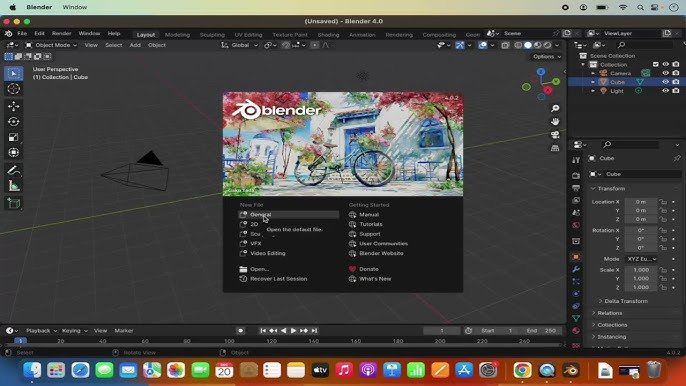
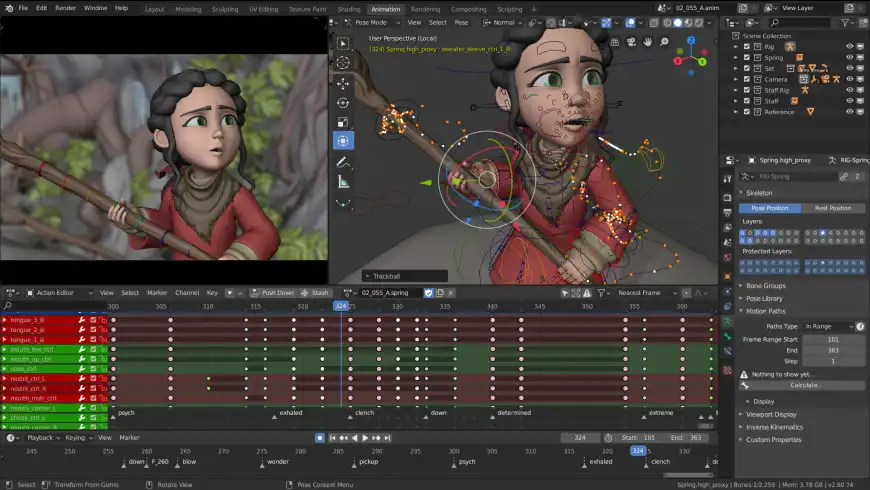
Screenshots:
System Requirements
Before installing Blender for macOS 5.1.1, ensure your system meets the following requirements.
Minimum Requirements
- Operating System: macOS 11.0 (Big Sur) or later
- Processor: Intel Core i5 or Apple Silicon (M1 or higher)
- RAM: 8 GB
- Storage: 500 MB of available space
- Graphics: GPU with Metal support
Recommended Requirements
- Operating System: macOS 13 (Ventura) or later
- Processor: Apple Silicon (M2, M3 or higher)
- RAM: 16 GB or more
- Storage: SSD with 2 GB or more of free space
- Graphics: Dedicated GPU or high-performance integrated GPU
Meeting the recommended requirements ensures optimal performance, especially for complex 3D projects and rendering tasks.
Advantages and Disadvantages of Blender for macOS 5.1.1
Advantages
- Completely free and open source
- All-in-one 3D creation suite
- Powerful modeling, rendering, and animation tools
- Optimized for Apple Silicon
- Active community and frequent updates
- Built-in video editing and compositing
Disadvantages
- Steep learning curve for beginners
- The interface can be complex at first
- High system requirements for advanced projects
- Some industry professionals still prefer alternative software
Conclusion
Blender for macOS 5.1.1 remains a benchmark in open-source 3D software. With its comprehensive feature set, powerful rendering engines, and continuous improvements, it offers everything needed for professional-level 3D creation.
Homepage: https://mactorrent.info/