Wondershare Filmora 15.3.20 for MacOS Download

Wondershare Filmora for Mac is a powerful video editing software that allows Mac users of all technical skill levels to access a wide range of AI-powered tools to quickly create and edit videos.
Filmora Video Editor is an essential video editor for both beginners and professionals. Don’t be fooled by its simple interface and intuitive menu: it’s a surprisingly powerful editing tool that’s quickly becoming a staple for professional video editors.
Key Features of Wondershare Filmora 15.3.20
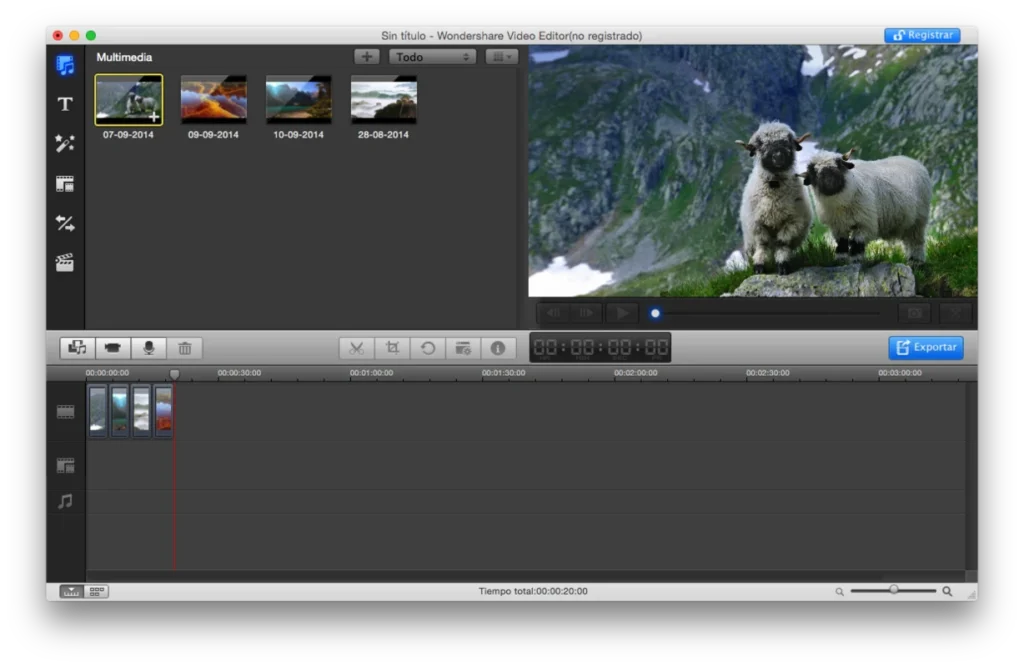
One of Filmora’s biggest advantages is its clean and user-friendly interface. The drag-and-drop functionality allows users to:
- Import media files
Organize clips on the timeline
Apply effects and transitions
AI-Powered Editing Tools
Filmora 15.3.20 introduces and enhances several AI-powered features, including:
AI Auto-Cut for automatic video trimming
- AI Background Remover
- AI Smart Masking
- AI Audio Noise Reduction
Advanced Video Editing Capabilities
Despite being easy to use for beginners, Filmora includes powerful editing tools such as:
- Multi-track timeline editing
- Keyframes for animations
- Motion tracking
- Speed-up for cinematic effects
Extensive Library of Effects and Media Resources
Filmora offers a vast collection of built-in resources, including:
- Transitions
- Filters and overlays
- Titles and text animations
- Royalty-free music and sound effects
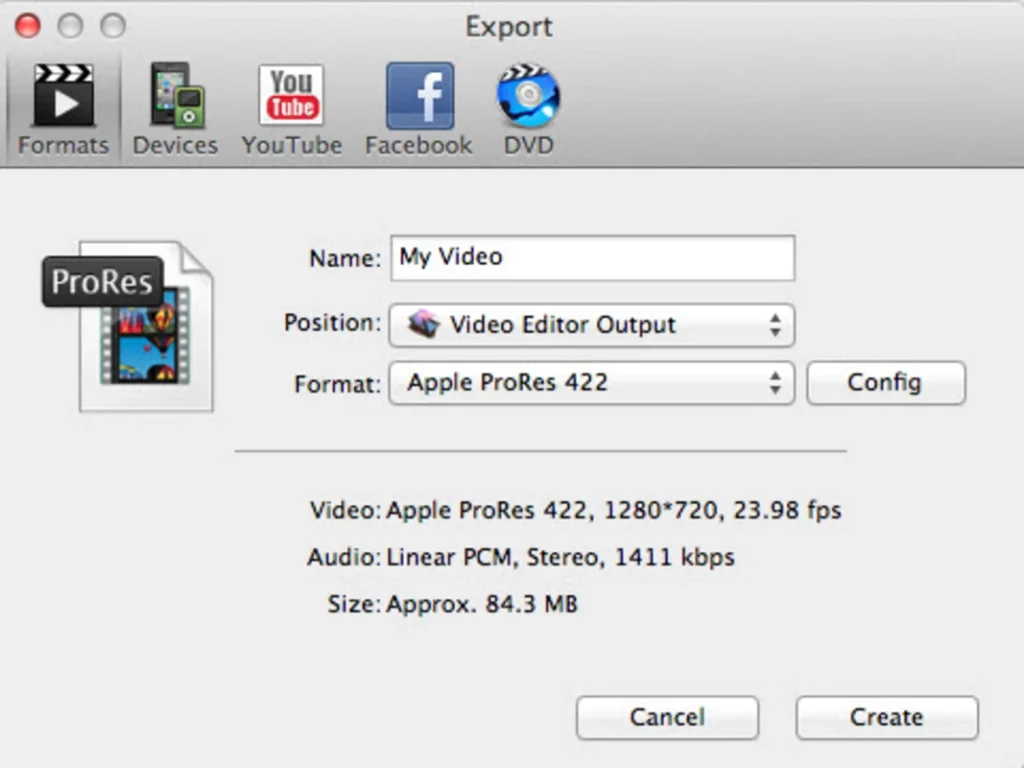
High-Quality Video Export Options
Filmora allows you to export videos in multiple formats and resolutions:
- 4K and even higher resolutions
- Direct upload to platforms like YouTube and Vimeo
- Social media-optimized formats
Screen Recording and Audio Editing
Filmora includes built-in tools for:
- Screen recording
- Voiceover recording
- Audio equalization and mixing
macOS Optimization
The macOS version is optimized for:
- Apple Silicon (M1, M2, M3 chips)
- Fastest rendering speeds
- Smooth playback
What’s New in Wondershare Filmora 15.3.20
Version 15.3.20 includes several improvements focused on performance, creativity, and usability.
Enhanced AI Editing Features
The latest update improves AI tools, enabling:
- Greater object detection accuracy
- Faster processing speed
- Better handling of complex scenes
Improved Performance and Stability
Filmora 15.3.20 offers:
- Faster rendering times
- Lower latency during editing
- Improved handling of large video files
Updated Effects and Templates
New templates, transitions, and effects have been added, allowing users to create more engaging content with minimal effort.
Improved Apple Silicon Compatibility
The software is now optimized for Apple Silicon chips, ensuring:
- Lower power consumption
- Faster speed
- Improved multitasking performance
you can also Download: Wondershare Repairit 6.5.15.10 for MacOS
Screenshots:
System Requirements
Before installing Wondershare Filmora 15.3.20 on macOS, make sure your system meets the following requirements.
Minimum Requirements
- macOS 10.15 (Catalina) or later
- Intel or Apple Silicon processor (M1 or higher)
- 8 GB of RAM
- 10 GB of free disk space
- Minimum resolution: 1280 × 800
Recommended Requirements
- macOS 12 (Monterey) or later
- Apple Silicon (M1/M2/M3) or Intel i7 or higher
- 16 GB of RAM or more
- SSD storage for faster performance
- Dedicated GPU for advanced editing tasks
Pros and Cons
Pros
- User-friendly interface, ideal for beginners
- Powerful AI-powered editing tools
- Wide range of built-in effects and templates
- Supports high-quality video export (4K+)
- Optimized for macOS and Apple Silicon
- Affordable price compared to professional editors
Cons
- Limited advanced features compared to high-end software
- Watermark in the free version
- Some effects require Additional purchases
- Not ideal for complex professional workflows
Conclusion
Wondershare Filmora macOS 15.3.20 is an excellent video editing solution that strikes a perfect balance between simplicity and functionality. It’s especially well-suited for beginners, content creators, and small businesses looking to produce high-quality videos without investing in complex software.
Homepage: https://mactorrent.info/
One comment