Rectangle Pro 3.73 for MacOS Download

Rectangle Pro for Mac builds upon the popular Rectangle window manager, adding advanced automation, customizable shortcuts, and professional-grade layout controls.
Rectangle Pro is a powerful window resizing tool designed for Mac users that enhances productivity through efficient window management. This utility allows users to easily organize and resize application windows by snapping them into predefined positions on the screen. With customizable keyboard shortcuts and an intuitive interface, Rectangle Pro streamlines workflow by making window organization quick and easy.
Version 3.73 continues to optimize performance, improve compatibility with modern macOS systems, and introduce enhancements that benefit both casual users and professionals. In this comprehensive guide, we explore its key features, latest updates, system requirements, pros and cons, and why Rectangle Pro remains a leading window management solution for macOS.
Key Features of Rectangle Pro for macOS
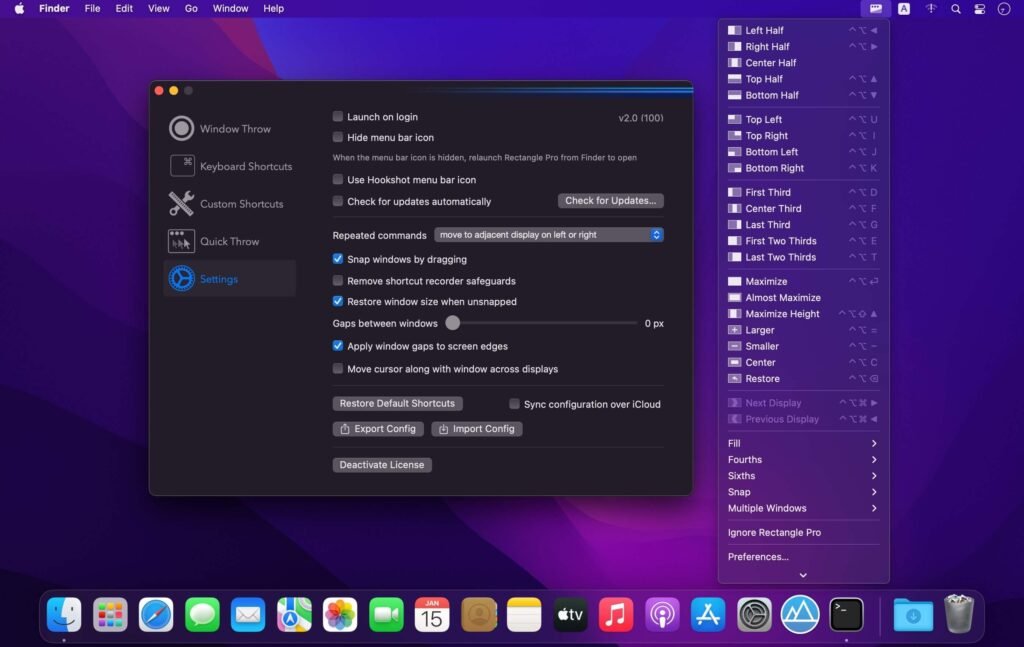
Rectangle Pro lets you quickly adjust windows to different areas of the screen using customizable keyboard shortcuts or drag gestures. Unlike basic macOS tiling, it offers:
- Snap to half screen (left or right)
- Snap to quarter screen
- Center positioning
- Maximize to full screen
- Custom window sizes
This flexibility allows you to create efficient multi-window layouts instantly.
Custom Layouts and Presets
- One of Rectangle Pro for Mac most valuable features is the ability to create and save custom window layouts. Users can define specific window positions and sizes and then recall them with a single shortcut.
This feature is especially beneficial for
- Developers who manage multiple code editors and terminals
- Designers who work with reference windows
- Content creators who manage research and editing simultaneously
- By saving preferred layouts, users significantly reduce repetitive resizing tasks.
Window Swipe and Quick Resize
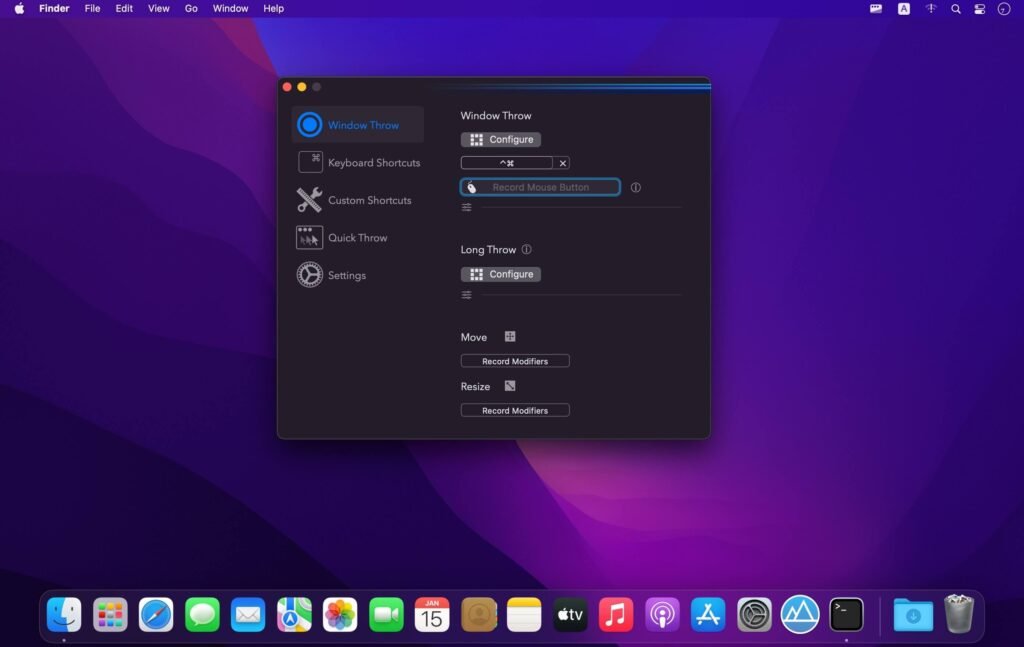
- Rectangle Pro for Mac incorporates the “Window Swipe” feature, which allows users to effortlessly move windows between monitors. This is especially useful in multi-monitor setups.
- In addition, the Quick Resize option allows users to gradually enlarge or reduce windows using keyboard commands, providing precise control over window dimensions.
Display Configuration Profiles
- For users who frequently connect external monitors, Rectangle Pro offers display configuration profiles. These profiles automatically apply saved layouts when connecting or disconnecting monitors.
As a result, the workspace organization remains consistent regardless of hardware changes.
Custom Keyboard Shortcuts
- Every window action in Rectangle Pro for Mac can be customized with keyboard shortcuts. Users can tailor commands to their workflow preferences, improving speed and convenience.
- This level of customization makes Rectangle Pro suitable for both beginners and advanced users.
Spacing and Margin Adjustments
- Rectangle Pro allows you to define spacing between windows, creating visually appealing layouts with spacing. This modern design improves readability and prevents windows from looking cramped.
- Margin adjustments also help optimize layouts for ultrawide monitors.
macOS Integration and Lightweight Design
- Despite its powerful features, Rectangle Pro remains lightweight and integrates seamlessly with macOS. It runs silently in the background without impacting system performance.
- The application respects macOS security and privacy standards, requiring minimal permissions.
Optimization for Apple Silicon
Version 3.73 is optimized for Apple Silicon processors, including M1, M2, and newer chips. As a result, users benefit from:
- Faster response times
- Lower CPU usage
- Improved energy efficiency
- Smooth performance on high-resolution displays
This optimization ensures that Rectangle Pro runs reliably on modern Mac hardware.
What’s New in Rectangle Pro 3.69
Version 3.73 introduces several improvements focused on stability, compatibility, and usability.
Performance Improvements
- The latest update refines window movement animations and reduces latency during adjustment actions. Users will notice smoother transitions and faster shortcut execution.
Improved macOS Compatibility
- Rectangle Pro 3.73 improves compatibility with recent macOS updates, ensuring consistent performance across all versions of the system.
Bug Fixes
- Minor bugs related to multi-monitor setups and display detection have been fixed. These fixes improve reliability when connecting or disconnecting external displays.
Improved Layout Accuracy
- Accuracy improvements ensure that saved layouts maintain precise window positioning, even when changing screen resolution.
you can also Download: Things 3.22.10 for MacOS
Screenshots:
System Requirements
Before installing Rectangle Pro for Mac 3.73, ensure your system meets the following specifications.
Minimum Requirements
- MacOS 11 Big Sur or later
- 64-bit Intel processor
- 4 GB of RAM
- 50 MB of available disk space
Recommended Requirements
For optimal performance:
- MacOS 12 Monterey or later
- Apple Silicon processor (M1, M2, M3, or later)
- 8 GB of RAM or more
- SSD storage
- Multi-monitor setup (optional for advanced features)
Meeting the recommended specifications ensures smooth window transitions and reliable multi-display management.
Advantages and Disadvantages of Rectangle Pro for macOS
Advantages
- Highly Customizable Window Management
- Offers precise control over window position and size.
- Custom Design Presets
- Save time by retrieving predefined workspace configurations.
- Multi-Monitor Support
- Ideal for professionals using external displays.
- Lightweight and Efficient
- Runs smoothly without significantly impacting system performance.
- Optimized for Apple Silicon
- Ensures excellent performance on modern Macs.
- Flexible Keyboard Shortcuts
- Improve productivity with custom controls.
Disadvantages
- Paid Version Required for Advanced Features
- Pro features require purchasing the premium version.
- Learning Curve for Custom Designs
- Advanced customization may require some initial setup time.
- Limited Integrated Visual Interface for Design Editing
- Some users may prefer a drag-and-drop design editor.
Conclusion
Rectangle Pro for Mac 3.73 is a robust and highly efficient window management solution designed to maximize productivity. With advanced tuning, customizable layouts, multi-monitor support, and optimization for Apple Silicon, it goes far beyond macOS’s default window management capabilities.
The latest version improves performance, enhances stability, and ensures compatibility with modern macOS systems. While advanced features require a paid upgrade, the time savings and workflow improvements make it a worthwhile investment for many users.
For professionals, developers, designers, and multitaskers seeking greater control over their workspace, Rectangle Pro for Mac 3.69 stands out as a reliable and powerful window management tool.
Homepage: https://mactorrent.info/
One comment