Telegram Desktop 6.5.1 for MacOS Download

Telegram Desktop MacOS has become one of the most popular messaging services worldwide, offering advanced privacy features, group collaboration tools, and multimedia sharing capabilities.
While many users rely on the Telegram mobile app, Telegram Desktop MacOS offers a more productive and convenient experience for those who spend long hours working on their Macs. With full cross-device synchronization, high-speed message delivery, and native macOS optimization, version 6.5.1 guarantees improved performance and usability.
In this detailed guide, we’ll explore Telegram Desktop for macOS 6.5.1, including its main features, latest updates, system requirements, advantages and disadvantages, and its overall value for both home and professional users.
Key Features of Telegram Desktop for macOS
One of Telegram’s most powerful features is its cloud architecture. Unlike traditional messaging platforms, which rely solely on device storage, Telegram securely stores chats in the cloud. As a result:
- Messages are instantly synced across devices
- Files and media remain accessible from any login
- Chat history is automatically backed up
This feature ensures users can switch between their Mac, iPhone, or iPad without losing data.
High-Speed Performance
- Telegram Desktop for macOS is designed for speed. Even large media files, high-resolution images, and extensive chat histories load quickly. Version 6.5.1 further improves responsiveness, especially on Apple Silicon devices.
- In addition, Telegram uses efficient data compression and optimized servers, enabling smooth performance even with slow internet connections.
Advanced Security and Privacy
Security remains one of Telegram’s strongest points. Key privacy features include:
- End-to-end encryption for secret chats
- Two-step verification
- Self-destructing messages
- Privacy controls for phone number and profile visibility
While standard cloud chats are encrypted between the server and client, secret chats offer end-to-end encryption for maximum privacy.
Support for Large Groups and Channels
Telegram Desktop for macOS excels at community management. Users can:
- Create groups with hundreds of thousands of members
- Launch public or private channels
- Assign admin roles and permissions
- Use advanced moderation tools
This makes Telegram the preferred platform for businesses, educators, influencers, and online communities.
Unlimited File Sharing
Unlike many messaging apps that restrict file size, Telegram allows you to send large files up to 2 GB per file. Supported formats:
- Documents (PDF, DOCX, ZIP)
- Images and videos
- Audio files
- Software packages
This makes Telegram Desktop for macOS ideal for professional collaboration and content distribution.
Customization and Themes
Telegram Desktop offers extensive customization options. Users can:
- Switch between light and dark modes
- Apply custom chat themes
- Adjust font size and chat scaling
- Use stickers and animated emojis
This flexibility enhances the user experience and adapts the app to macOS design preferences.
Bot Integration and Automation
- Telegram supports advanced bots that can automate tasks, provide notifications, manage communities, and integrate with external services. Developers can create custom bots using the Telegram API, enabling powerful automation of business workflows.
Native Optimization for macOS
Version 6.5.1 is optimized for modern macOS environments, including full support for Apple Silicon. This ensures:
- Lower CPU usage
- Faster startup times
- Lower battery consumption on MacBooks
- Smooth multitasking
The native design also integrates seamlessly with macOS features such as notifications and drag-and-drop functionality.
What’s New in Telegram Desktop 6.5.1
The 6.5.1 update introduces various performance improvements and tweaks to optimize the overall user experience.
Improved Performance on Apple Silicon
Telegram Desktop MacOS 6.5.1 offers improved optimization for Apple Silicon M1, M2, and later processors. Users can expect:
- Faster message syncing
- Reduced application lag
- Improved stability during video calls
This makes the desktop client even more reliable for professional communication.
Improved video call stability
- Video calls have been refined in this update, with improved connection stability and better audio synchronization. These improvements benefit remote workers and online communities that use Telegram for their meetings.
Bug fixes and UI improvements
The latest version fixes minor bugs related to:
- File preview rendering
- Notification delays
- Occasional chat loading issues
- In addition, minor UI improvements ensure smoother navigation and better accessibility.
Security enhancements
- Telegram Desktop 6.5.1 strengthens security protocolsSecurity measures to maintain high standards of data protection. These updates further reinforce Telegram’s reputation as a secure messaging platform.
you can also Download: CrossOver 26.0.0 for MacOS
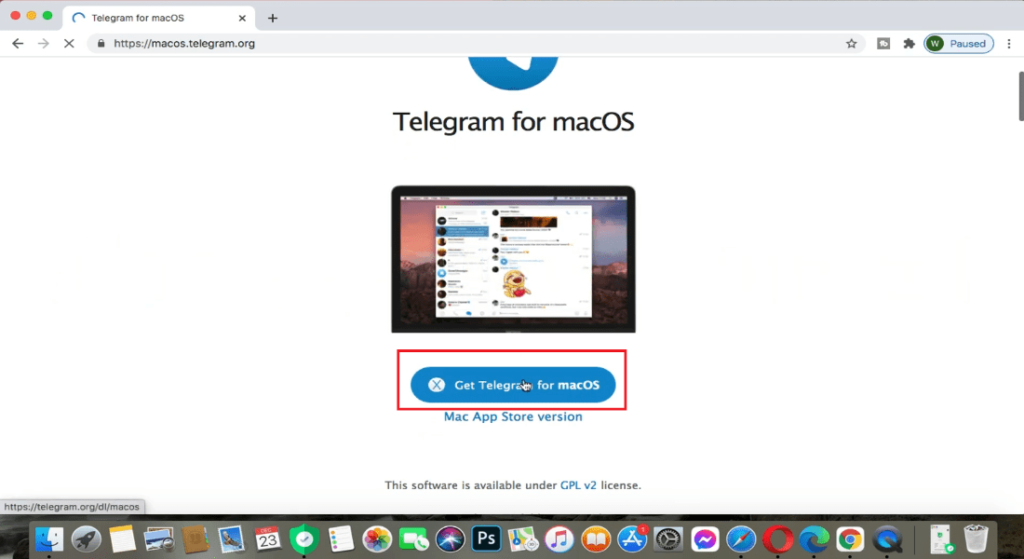
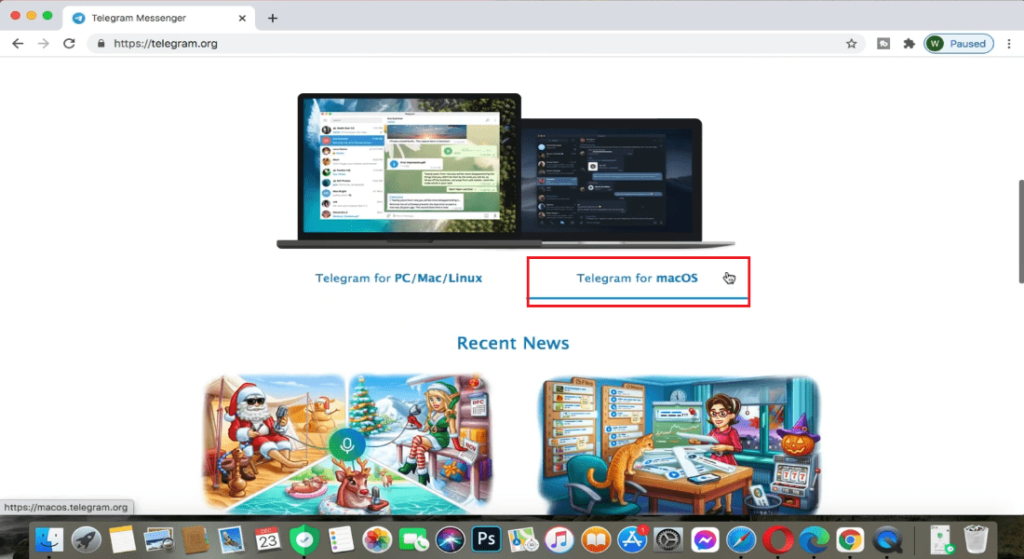
Screenshots:
System Requirements
Before installing Telegram Desktop for macOS 6.5.1, ensure your system meets the requirements.
Minimum Requirements
- MacOS 10.13 High Sierra or later
- 64-bit Intel processor
- 4 GB of RAM
- 200 MB of available disk space
- Active internet connection
Recommended Requirements
For optimal performance and smooth multitasking:
- MacOS 12 Monterey or later
- Apple Silicon processor (M1, M2, M3)
- 8 GB of RAM or more
- SSD storage
- Stable, high-speed internet connection
Meeting the recommended requirements ensures faster load times and improved responsiveness, especially for large groups and chats with a lot of multimedia.
Advantages and Disadvantages of Telegram Desktop for macOS
Advantages
- Fast and Reliable Messaging
- Messages sync instantly across devices.
Powerful Privacy Features
- Includes secret chats and advanced privacy controls.
Large File Sharing Capacity
- Supports uploading files up to 2 GB.
Cross-Platform Sync
- Works seamlessly with mobile and tablet versions.
Extensive Customization Options
- Offers themes, chat settings, and UI adjustments.
Optimized for Apple Silicon
- Works efficiently on modern Mac hardware.
Disadvantages
Cloud Chats Without End-to-End Encryption
- Only secret chats use end-to-end encryption.
Requires Phone Number for Registration
- Some users may prefer anonymous registration.
Can Consume Storage with Large Media Files
- Frequent downloads can take up disk space.
Conclusion
Telegram Desktop MacOS 6.5.1 continues to offer a powerful, fast, and secure messaging experience designed for desktop users. With improved Apple Silicon performance, greater stability in video calls, and optimized user interface elements, this version solidifies Telegram’s position as a leading cross-platform communication tool.
Its cloud synchronization, robust file-sharing capabilities, and strong privacy features make it ideal for both personal conversations and professional collaboration. Furthermore, the flexibility offered by bots, customization options, and group management tools ensures that Telegram remains versatile for diverse user needs.
While there are some privacy limitations for cloud chats, Telegram’s overall security infrastructure remains robust and reliable. For macOS users seeking a feature-rich messaging application with seamless cross-device integration, Telegram Desktop 6.5.1 is a highly effective and dependable choice.
Homepage: https://mactorrent.info/
Leave a Reply