Mozilla FireFox Browser 147.0.3 for MacOS Download

Mozilla FireFox Browser 147.0.3 for MacOS has long been recognized as one of the most reliable, secure, and user-centric web browsers available today. Known for its strong commitment to privacy, open-source development, and performance optimization, Firefox remains the preferred choice for users who value transparency and control over their browsing experience. With the release of version 147.0.3 of Mozilla Firefox for macOS, the browser further solidifies its position by offering increased speed, enhanced security, and improved compatibility with modern macOS environments.
Firefox for macOS is ideal for a broad audience, including casual users, students, professionals, developers, and privacy-conscious individuals. It offers a balance of performance, customization, and security, making it a strong alternative to other mainstream browsers. Furthermore, Mozilla’s non-profit mission ensures that user interests are paramount in development decisions.
Key Features of the Mozilla FireFox Browser 147.0.3 for MacOS
Mozilla Firefox for macOS is packed with features designed to enhance speed, security, productivity, and user control. Here are the key features that define the Firefox browsing experience on Mac.
Enhanced Privacy Protection
- Privacy is one of Firefox’s strengths. The browser includes Enhanced Tracking Protection by default, blocking third-party trackers, social media trackers, cryptominers, and fingerprinting scripts. This ensures a safer browsing experience while also improving page load speeds.
Fast and Efficient Performance
- Firefox is optimized to use system resources efficiently on macOS. Thanks to its advanced multi-threaded architecture, the browser delivers faster page loads, smoother scrolling, and greater stability, even with multiple tabs open.
Customizable User Interface
- Firefox offers extensive customization options. Users can personalize the toolbar, adjust themes, manage extensions, and modify layout preferences. This flexibility allows users to tailor the browser to their workflow and visual preferences.
Advanced Tab Management
- The browser includes powerful tab management features, such as tab grouping, pinned tabs, and picture-in-picture mode. These tools help users stay organized and multitask efficiently, especially when working with multiple websites simultaneously.
Cross-Platform Sync
- With a Firefox account, users can sync bookmarks, passwords, browsing history, open tabs, and extensions across devices. This feature ensures a seamless browsing experience across macOS, iOS, Windows, and Linux systems.
Built-in Security Features
- Mozilla FireFox Browser 147.0.3 for MacOS includes robust security measures, such as HTTPS-First mode, protection against phishing and malware, and frequent security updates. These features protect users from malicious websites and online threats.
Powerful Developer Tools
- For developers, Firefox offers a comprehensive suite of built-in tools. These include a responsive design mode, a JavaScript debugger, a network monitor, and CSS inspection tools, making it an excellent choice for web development and testing.
Extensive Extension Library
- Firefox supports a wide range of extensions that enhance its functionality, from productivity tools and ad blockers to developer utilities and accessibility features. The Firefox Add-ons Store offers reliable and regularly updated extensions.
What’s New in Mozilla FireFox Browser 147.0.3 for MacOS
Mozilla Firefox 147.0.3 introduces a number of improvements focused on stability, security, and performance, tailored for modern macOS systems.
Security and Stability Enhancements
- This version includes important security patches that address known vulnerabilities. These updates help protect users from emerging threats and ensure a safer browsing environment.
Performance Optimizations
- Firefox 147.0.3 improves memory management and CPU efficiency, resulting in smoother performance, especially on Macs with Apple Silicon. Page rendering and tab switching are faster and more responsive.
Improved macOS Compatibility
- This update improves compatibility with the latest macOS versions, ensuring better integration with system features such as notifications, dark mode, and accessibility settings.
Bug Fixes and Minor Improvements
- Several bugs reported in previous versions have been fixed, including issues related to video playback, extension behavior, and UI responsiveness. These fixes contribute to a more polished user experience.
Ongoing Privacy Enhancements
- Mozilla continues to refine its privacy tools, improving tracking protection logic and reducing the risk of cross-site tracking without impacting website functionality.
you can also Download: VideoProc Converter AI 8.8 for MacOS
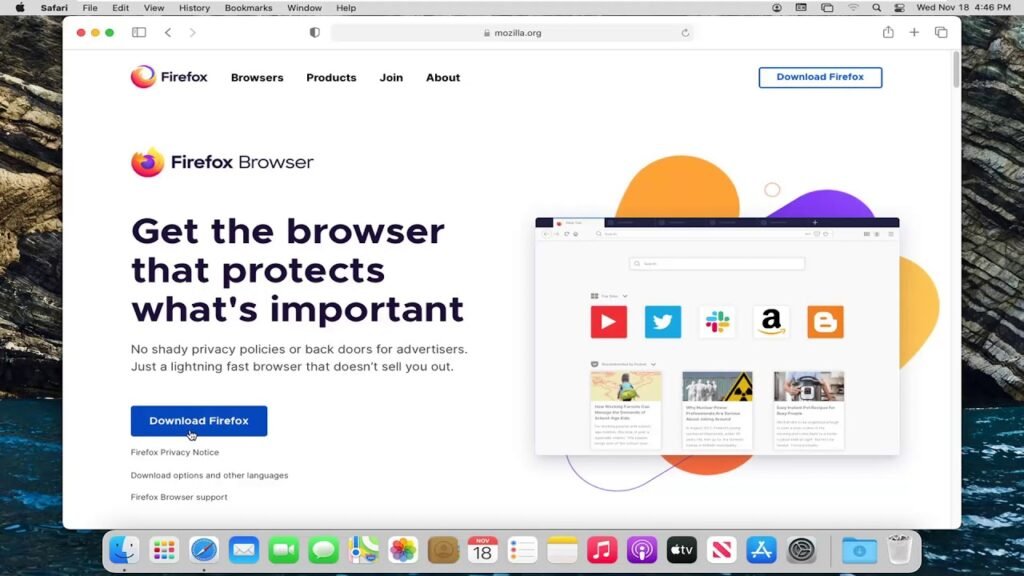
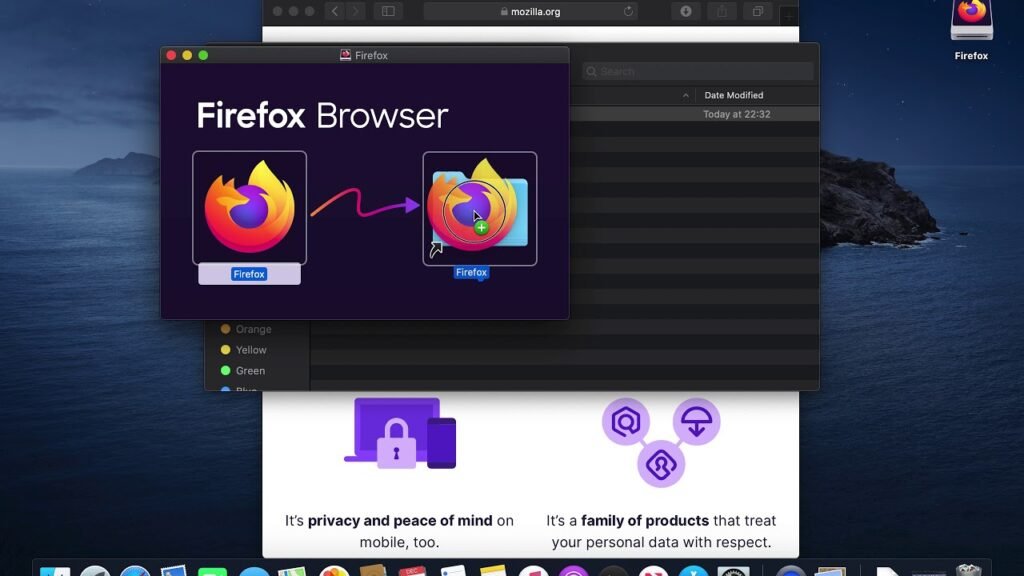
Screenshots:
System Requirements for the Mozilla FireFox Browser 147.0.3 for MacOS
Before installing Mozilla Firefox 147.0.3 on macOS, it is essential to ensure your system meets the necessary requirements.
Minimum System Requirements
- Operating System: macOS 10.15 or later
- Processor: Intel for Mac or Apple Silicon processor
- RAM: 2 GB
- Storage: Approximately 200 MB of available disk space
- Internet Connection: Required for updates and web browsing
Recommended System Requirements
- Operating System: Latest version of macOS
- Processor: Apple Silicon M1, M2, or later
- RAM: 8 GB or more
- Storage: SSD for faster performance
- Internet Connection: Stable broadband connection
Meeting the recommended requirements ensures optimal performance, faster browsing, and smoother multitasking.
Advantages and Disadvantages of the Mozilla FireFox Browser 147.0.3 for MacOS
Advantages
- Special attention to user privacy and data protection
- Open-source and community-driven development
- Fast performance with efficient resource usage
- Highly customizable interface and features
- Excellent cross-platform synchronization
- Powerful built-in developer tools
Disadvantages
- Some websites are primarily optimized for other browsers
- Slightly higher memory usage with many extensions installed
- Smaller extension ecosystem compared to competitors
- Occasional compatibility issues with certain web applications
Conclusion
Mozilla FireFox Browser 147.0.3 for MacOS remains a reliable, secure, and performance-focused web browser suitable for users of all skill levels. Its robust privacy protection, open-source codebase, and constant updates make it an attractive option for those who value transparency and control over their online experience.
With improved performance on Apple Silicon, enhanced security updates, and better integration with macOS, Firefox remains a solid alternative to mainstream browsers. While it may have minor compatibility issues with certain websites, its feature set and commitment to user privacy more than compensate for these limitations.
For those seeking a fast, customizable, and privacy-conscious browser on macOS, Mozilla FireFox Browser 147.0.3 for MacOS stands out as a reliable and future-proof solution.
Homepage: https://mactorrent.info
Leave a Reply