iRightMouse Pro 2.2.3 for MacOS Download

iRightMouse Pro for macOS 2.2.3 is a powerful productivity utility designed to enhance macOS’s native context menu. While macOS offers a clean and minimalist context menu, many users find it limiting when performing advanced file management tasks. iRightMouse Pro addresses this issue by adding smart, customizable shortcuts directly to the Finder context menu, helping users work faster and more efficiently.
Whether you’re a student organizing documents, a creative professional managing media files, or a developer managing projects, iRightMouse Pro for macOS offers a smarter way to interact with files and folders. With its lightweight design and seamless integration with macOS, the application improves workflow without compromising system performance.
Key Features of iRightMouse Pro for macOS
iRightMouse Pro is designed to optimize file management and productivity on macOS. Below are its key features that distinguish it as a tool for optimizing right-click functionality.
Enhanced Right-Click Context Menu
The main function of iRightMouse Pro is to enhance the default macOS context menu. It adds useful options such as:
- Creating new files directly from the context menu
- Instantly copying file paths
- Moving or copying files to predefined locations
- Quickly accessing frequently used folders
- Performing advanced file operations
As a result, users no longer need to open multiple Finder windows or navigate through complex folder structures.
Instantly Creating New Files
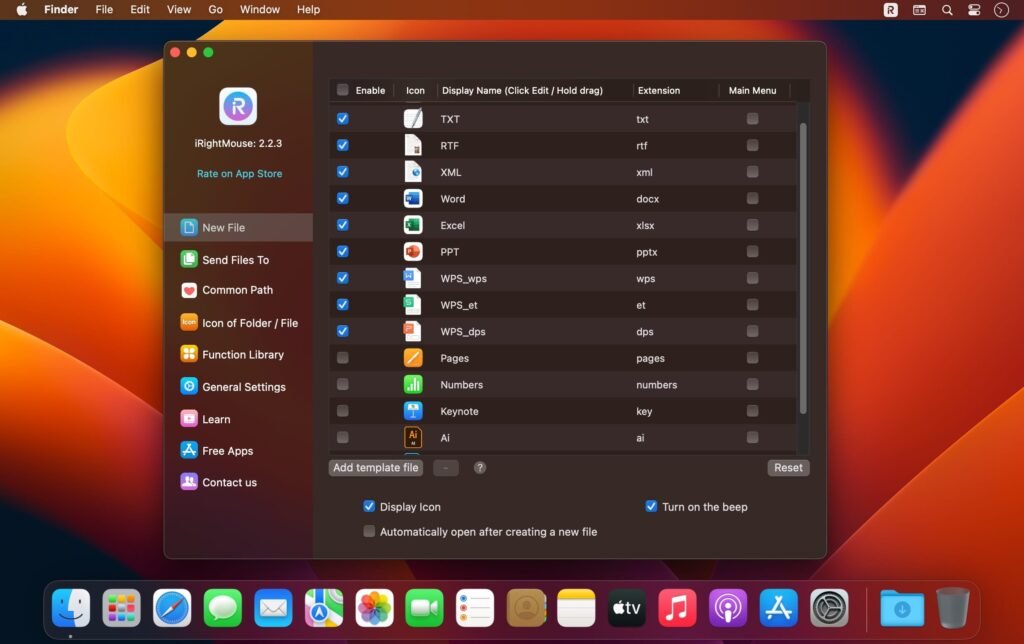
One of the most practical features is the ability to create new files directly from the context menu. Instead of opening an application to create a new document, users can generate:
- Text files
- Word documents
- Excel spreadsheets
- PowerPoint presentations
- Custom file types
This feature is especially useful for professionals who frequently create structured documents. Quick access to folder shortcuts
iRightMouse Pro allows you to add custom folders to the context menu. This way, you can instantly move or copy files to frequently used directories, such as
- Desktop
- Documents
- Downloads
- Project folders
- External drives
This significantly reduces drag-and-drop operations and manual navigation.
File Operations and Management Tools
In addition to basic file actions, iRightMouse Pro offers advanced management features, such as:
- Copy filename
- Copy full file path
- Batch file renaming
- Quick file compression
- Open with specific applications
These tools enhance the default Finder functions without replacing it.
Customization Options
Another great advantage of iRightMouse Pro for macOS is its customization. Users can:
- Enable or disable specific menu items
- Organize the menu structure
- Adjust appearance settings
- Control the visibility of different file types
Thanks to this flexibility, the context menu remains clean and adapts to personal workflow preferences.
Lightweight and High-Performance
- Despite offering advanced features, iRightMouse Pro is lightweight and optimized for macOS. It runs efficiently in the background without slowing down system performance. Therefore, it is compatible with both older Macs and modern Apple Silicon devices.
What’s New in iRightMouse Pro 2.2.3
Version 2.2.3 introduces several improvements that optimize usability and compatibility.
Improved macOS Compatibility
- The latest update improves compatibility with the most recent versions of macOS, ensuring seamless integration with updated Finder versions and system security requirements.
Performance Optimization
The developers have optimized background processing, resulting in:
- Faster menu loading
- Reduced memory usage
- Improved stability during large file operations
- Bug Fixes and Stability Improvements
Version 2.2.3 addresses minor bugs reported in previous versions. These include
- Context menu display issues
- Inconsistencies in shortcut configuration
- Occasional crashes when managing large folders
- As a result, users experience a more stable and reliable workflow.
Improved customization controls
- The update also refines customization settings, allowing users to better control which features appear in specific contexts.
- Overall, iRightMouse Pro 2.2.3 focuses on stability, performance, and improved integration with macOS.
you can also Download: BBEdit 15.5.4 for MacOS
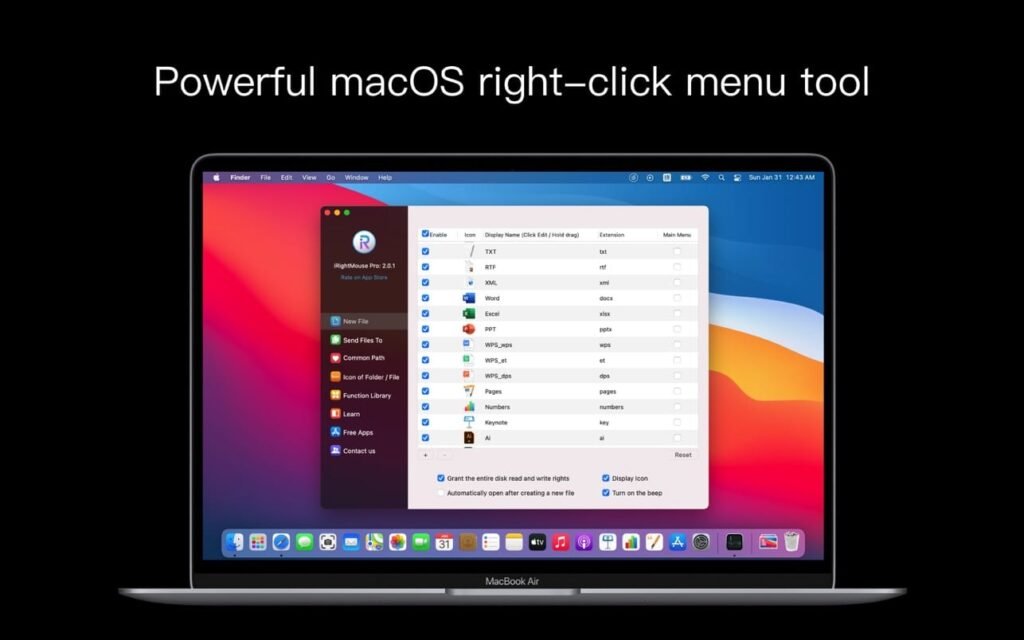
Screenshots:
System Requirements
Before installing iRightMouse Pro for macOS, it is essential to ensure your system meets the necessary requirements.
Minimum Requirements
- MacOS 10.13 High Sierra or later
- Intel or Apple Silicon processor
- 4 GB of RAM
- At least 100 MB of free disk space
These specifications allow the software to run smoothly for standard file management tasks.
Recommended Requirements
- MacOS 12 Monterey or later
- Apple Silicon (M1, M2, or later) or recent Intel processor
- 8 GB of RAM or more
- 500 MB of free disk space for optimal performance
With the recommended hardware, users can expect faster menu rendering and improved multitasking capabilities.
Advantages and Disadvantages
Like any productivity tool, iRightMouse Pro for macOS has its advantages and limitations.
Advantages
- Improves native right-click functionality in macOS
- Enhances file management efficiency
- Highly customizable context menu
- Lightweight and low resource consumption
- Compatible with Intel and Apple Silicon Macs
- Easy installation and intuitive interface
Disadvantages
- Limited functionality in the free version (if applicable)
- Adds extra items to the context menu, which may be cluttered for minimalist users
- Primarily focused on Finder enhancements, not a complete file manager replacement
However, for users seeking better file management tools in the Finder, the advantages outweigh the disadvantages.
Conclusion
iRightMouse Pro for macOS 2.2.3 is a practical and efficient utility designed to improve productivity through smarter right-click functionality. By expanding the Finder’s context menu, the software allows users to instantly create files, manage folders more efficiently, and easily access frequently used directories.
Furthermore, its lightweight performance and customizable features make it ideal for students, professionals, developers, and everyday Mac users. Rather than replacing the macOS Finder, iRightMouse Pro complements it, meeting your productivity needs.
If you frequently manage files, create documents, or handle complex folder structures, iRightMouse Pro for macOS can significantly streamline your workflow. With the improvements introduced in version 2.2.3, it remains a reliable and valuable addition to any Mac productivity toolkit.
Homepage: https://mactorrent.info/
Leave a Reply