Adobe Photoshop 2026 v27.2.0 for MacOS Download

Adobe Photoshop for Mac has long been the industry standard for image editing, graphic design, and digital creativity. Used by photographers, designers, content creators, marketers, and artists worldwide, Photoshop offers powerful tools for editing photos, creating digital artwork, and producing professional-quality images. Over the years, Adobe has continuously refined Photoshop to keep pace with evolving creative workflows and modern hardware.
The latest version, Adobe Photoshop 2026 v27.2.0 for macOS, represents a significant leap forward. This release focuses on improved performance, streamlined creative tools, better integration with the Adobe ecosystem, and enhanced compatibility with modern macOS versions and Apple Silicon hardware. Whether you’re a beginner learning the basics or a professional managing complex design projects, Photoshop remains a versatile and reliable solution.
Key Features of Adobe Photoshop for macOS
- Adobe Photoshop for Mac is renowned for its unparalleled image editing capabilities. The software offers a comprehensive set of tools for retouching photos, adjusting colors, correcting exposure, and manipulating images at the pixel level. Features such as layers, masks, blending modes, and adjustment layers allow users to perform non-destructive edits with complete creative control.
These tools make Photoshop the ideal choice for professional photo editing, digital art creation, and complex design workflows.
Powerful Selection and Masking
- Photoshop offers high-precision selection and masking tools that help users accurately isolate subjects. From quick selection options to more advanced techniques, users can easily separate foreground elements from the background.
This feature is essential for tasks such as background replacement, compositing, and creating detailed visual effects, especially in professional design and advertising projects.
Layer-Based Workflow
- The layer-based system is one of Photoshop’s most prominent features. It allows users to work on different elements of a design independently, making it easy to experiment and revise without impacting the entire project.
- With support for smart objects, layer styles, and grouping, complex compositions remain organized and editable throughout the creative process.
Extensive Brush and Drawing Tools
- For digital artists and illustrators, Photoshop includes a wide range of customizable brushes and drawing tools. These brushes simulate traditional media such as pencils, inks, and paints, while also supporting modern digital techniques.
- Users can create custom brushes or download additional brush packs, making Photoshop ideal for concept art, illustration, and digital painting.
Integration with Adobe Creative Cloud
- Adobe Photoshop for Mac integrates seamlessly with Adobe Creative Cloud. This allows users to sync files, access resources, and collaborate across other Adobe applications, such as Illustrator, Lightroom, InDesign, and After Effects.
- Cloud integration also ensures access to projects from multiple devices, improving workflow efficiency for teams and individual creators.
What’s New in Adobe Photoshop 2026 v27.2.0 for MacOS
- Adobe Photoshop 2026 v27.2.0 features performance enhancements designed to take full advantage of modern macOS systems. The software is optimized for Apple Silicon processors, resulting in faster load times, smoother navigation, and improved responsiveness during demanding tasks.
These improvements are especially noticeable when working with large files, high-resolution images, and complex projects with layers.
Enhanced Creative Tools
- This release includes improvements to existing tools, making them more intuitive and efficient. Workflow improvements help reduce repetitive tasks, allowing users to focus more on creativity and less on technical tweaks.
- Updated presets and smarter tool behavior contribute to a smoother editing experience for both beginners and advanced users.
Improved macOS Compatibility
- Adobe Photoshop 2026 offers improved compatibility with the latest macOS versions. Stability updates and bug fixes ensure consistent performance across different Mac configurations, whether Intel-based or Apple-powered.
This improved compatibility makes Photoshop more reliable for long editing sessions and professional production environments.
Workflow and Interface Enhancements
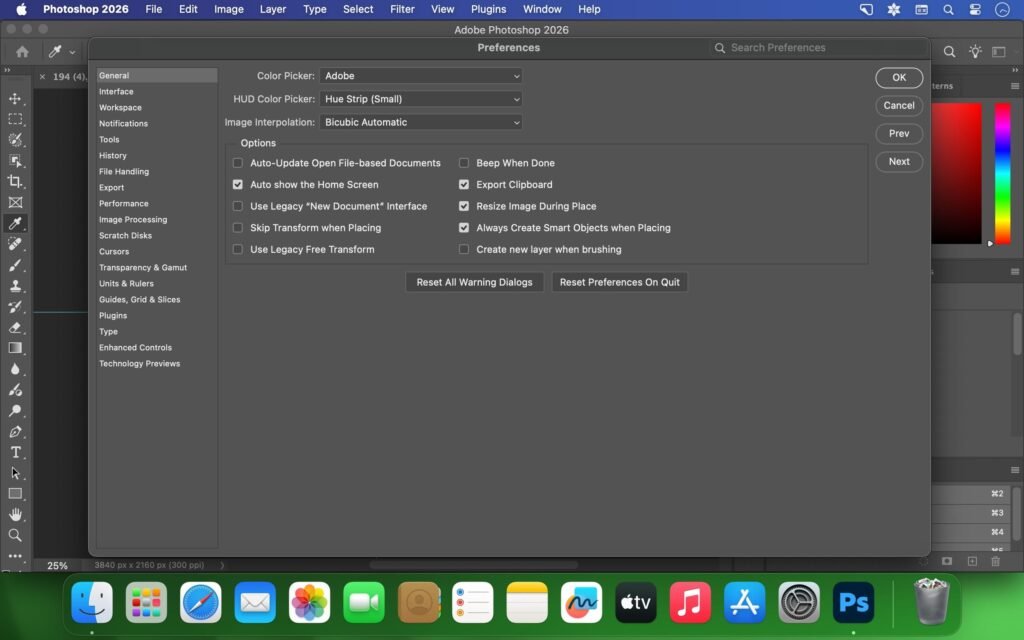
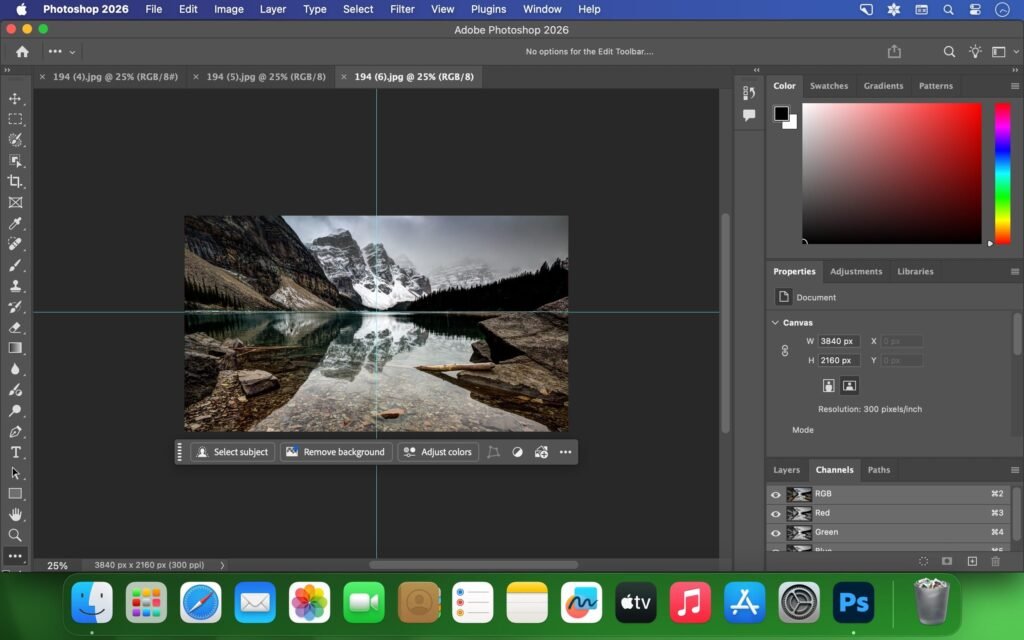
- The Photoshop 2026 user interface has been subtly refined for improved usability. Menus are more organized, and tool responses are faster and more precise. These improvements help streamline workflows, especially for users who spend extended periods working in the application.
you can also Download: Adobe After Effects for Mac
Screenshots:
System Requirements for Adobe Photoshop 2026 v27.2.0 for MacOS
Minimum Requirements
To run Adobe Photoshop 2026 v27.2.0 on macOS, your system must meet the following minimum requirements:
- Operating System: macOS compatible with Photoshop 2026
- Processor: Mac with an Intel or Apple Silicon processor
- RAM: 8 GB minimum
- Disk Space: At least 20 GB of available storage
- Display: 1280 × 800 resolution
- Internet Connection: Required for installation and updates
- While Photoshop can run on the minimum specifications, performance may be limited for complex projects.
Recommended Requirements
For optimal performance and a smooth creative workflow, the following specifications are recommended:
- Operating System: Latest version of macOS
- Processor: Apple Silicon (M1, M2, or later) or high-performance Intel processor
- RAM: 16 GB or more
- Disk Space: SSD with ample free storage
- Display: High-resolution Retina display
- Internet Connection: Stable connection for cloud features
Advantages and Disadvantages of Adobe Photoshop 2026 v27.2.0 for MacOS
Advantages
- Industry-leading image editing capabilities
- Professional tools for photography and design
- Seamless integration with Adobe Creative Cloud
- Optimized for modern macOS and Apple silicon
- Extensive community support and learning resources
- Suitable for beginners and professionals
Disadvantages
- Requires a subscription license
- High system requirements for optimal performance
- Learning curve for new users
- Can be resource-intensive on older Macs
Despite these disadvantages, Photoshop remains the preferred choice for professionals thanks to its unparalleled capabilities.
Conclusion
Adobe Photoshop 2026 v27.2.0 for MacOS continues to set the standard in digital image editing and creative design. With its powerful toolset, improved performance, and robust integration with the Adobe Creative Cloud ecosystem, it offers everything needed to create high-quality images for print, web, and digital media.
The latest updates improve stability, optimize performance for Apple Silicon, and refine workflows, making Photoshop more efficient and reliable than ever. While it does require a powerful system and a subscription, the value it offers to photographers, designers, and artists is unmatched.
In short, Adobe Photoshop for Mac remains an essential tool for those serious about digital creativity, delivering professional results and continuous innovation with each release.
Homepage: https://mactorrent.info
Leave a Reply